

Zebra KR203 Kiosk Receipt Printer
An affordable, host-based kiosk printer for 3-inch-wide receipts, Zebra’s compact KR203™ printer delivers unparalleled value and reliability for a variety of self-service applications. The KR203 draws upon the kiosk PC’s processing power and memory resources instead of its own, making it a highly cost-effective choice for customers who need a high-quality kiosk printer at the lowest total cost of ownership.
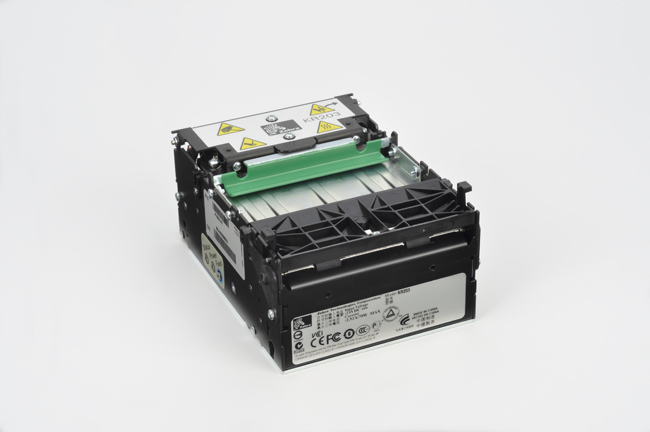
The KR203 offers the best value in its class, providing high print quality and many features available only on more expensive printers. Designed to reduce the need for maintenance or service by associates, it includes built-in troubleshooting capabilities; Zebra’s patented looping presenter and an integrated cutter for preventing paper jams; a tear-preventing pull detector; and a large, long-lasting, 10-inch/250 mm media roll capacity.
This host-based printer is easy to integrate into your kiosk systems—it can print any font, barcode or graphics supported by your application. The printer’s small size and wide range of mounting configurations make it an easy fit for any kiosk design and perfect for Zebra’s Kiosk Print Station.
Flexible
The small footprint and flexible mounting options make the KR203 printer ideal for a variety of embedded-kiosk applications where space is at a premium – whether incorporated in a custom kiosk solution or in Zebra’s Kiosk Print Station.
Unmatched usability
As an integral part of a self-service kiosk solution, Zebra printers help companies improve service, raise customer satisfaction, increase revenue and lower operational costs. Ultimately, improved print quality (along with features such as integrated cutter, patented looping presenter for preventing paper jams and the tear-preventing pull detector) ensure a better customer experience for the kiosk user.
Reduced intervention
The KR203 printer has been optimised for tough printing environments where durability, reliability, minimal maintenance and ease of use are critical. Designed to reduce the need for maintenance or intervention by staff, the KR200 series printers include built-in troubleshooting capabilities such as printer-status management, optional paper-low sensor and the ability to use 250mm media rolls to reduce paper roll changes.
Adobe Reader is required to open and view PDF files. This can be downloaded free from adobe.com.
Available Documents
- Heavy Duty Industrial Construction
- Semiconductor / Electronics
- Variable Print Resolution
- Windows Compatible
- Powerful Memory
- Easy Connectivity
ZQ500 SERIES Mobile Printers
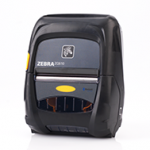
Extreme environments and bangs and bumps are no match for these lightweight, compact printers. Zebra’s ZQ510™ and ZQ520™ printers are the most rugged printers available. They perform in the widest operating temperature range in the industry and can withstand repeated drops to concrete from up to 6.6 feet. Water spray is no match with their IP54 rating. Featuring Zebra’s Link-OS® environment, these premium printers are easy to integrate, manage and maintain. With large buttons and a user-friendly interface, they are easy to operate, even when wearing gloves.
View ProductZD420 RIBBON CARTRIDGE DESKTOP THERMAL PRINTERS
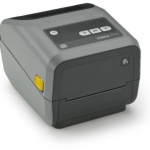
Fast 4-inch thermal printers that are easy to use, easy to deploy and easy to manage, then choose the ZD420. Daily operation couldn’t be simpler, thanks to a new ribbon cartridge with more status icons
View ProductSato M84Pro Heavy Duty Industial Printer
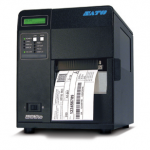
FEATURES
Zebra LI2208 Barcode Scanner
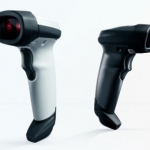
The LI2208 represents the next generation in 1D scanning and builds on our most popular scanner ever, the LS2208. You get the same reliability and ergonomics of the LS2208, combined with enhanced features such as extended range and support for mobile bar codes. With our best-in-class linear imager, you can count on unparalleled scanning performance on every bar code, every time. A patented single circuit board improves reliability by eliminating connectors and ribbon cables, which are the most common points of failure. You can drop it and use it in dusty and damp environments — and still expect reliable operation.
View Product






