

X1Jet XR
The X1JET XR inkjet printer is a stand-alone printing system that uses an XR Class piezo printhead. The printhead, ink system, maintenance station, and control electronics are all housed in one compact all-in-one device. Three different versions are available for different applications: in the Compact version, the printhead is mounted for horizontal marking. The Vario version printhead may be rotated 90 degrees anti-clockwise for added flexibility. The printhead is connected to the ink system via a 1000mm long hose in the Top version, which provides greater flexibility.
The oil-based XR 980 ink is ideal for printing on both mildly absorbent and absorbent product surfaces. Its quick drying period makes it ideal for printing on painted folding boxes.
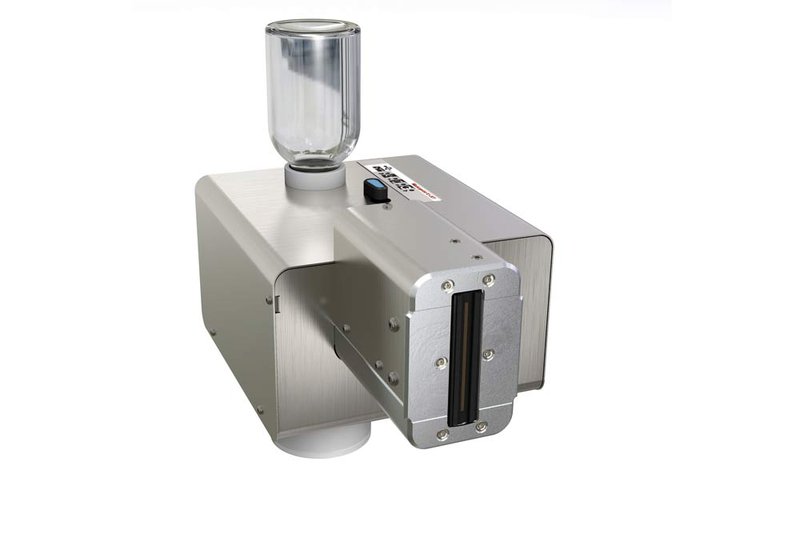
Markoprint X1JET XR
Inkjet system based on tried and tested piezo technology
-
-
-
- Print system based on proven XAAR Piezo technology
-
-
-
-
-
- Compact casing with integrated print head, ink system, cleaning station and control electronics
-
-
-
-
-
- Simple nozzle cleaning with integrated maintenance station
-
-
-
-
-
- 382 individually controllable nozzles
-
-
Adobe Reader is required to open and view PDF files. This can be downloaded free from adobe.com.
Available Documents
Inkjet Coding Overview BrochureInk Guide 2015
MC67 Mobile Computer
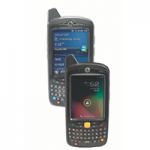
Give your field workforce customers the tools they to work faster and smarter than ever before with the MC67
What can your customers accomplish with the MC67? Everything they need to get the job done. Your customers can choose the operating system that best supports their mobility strategy — Windows® Embedded Handheld 6.5 or Android™ Jelly Bean (4.1) — to instantly access the wealth of information in their business systems to increase task efficiency and accuracy. This fully-featured powerhouse of a device lets workers access information in the backend system; scan practically any bar code in almost any condition; capture documents to simplify recordkeeping; take and send video and photos for real-time repair support; and call a customer with an arrival window — all at 4G HSPA+ speed.
View ProductModel 4300 Pro-Apply Swing-Tamp Label Printer-Applicator
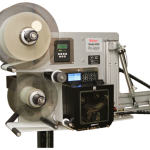
Weber’s economical Model 4300 Pro-Apply swing-tamp printer-applicator features the functionality often limited to higher-duty production systems used to label the leading or trailing side of a product.
• Applies labels up to 6″ wide x 6″ long
• Prints text, bar codes and graphic images @ 203, 300 or 600 dpi
• Non-contact, swing-tamp application
• Accurate labeling to within ±0.03″
BCP Apps – Mobile Order Book

Summary
BCP Apps – Mobile Order Book isn’t just an ordinary mobile sales tool, it’s much more… At the customers site you can either scan the product the customer wants to order, or using the search tool find the product just by typing in a few letters. You can even pull back an old previous order to edit, and the Mobile Order Book will automatically check for the latest prices and whether that product is still stocked or not. You can even add a new customer and take their order when you’re out and about if you wish… All this and send the order to be picked via GPRS before you even leave the customers side… or if you wish send it via WiFi or just insert the device into a cradle when you get back.
View ProductEasyGo! TicketSale
Summary
Manage and control your ticket sales with this simple but customisable and powerful application. Choose the ticket type, the quantity of tickets to sell and the discounts to apply. Use the build-in calculator to help you charging your customers. Finally, the application will generate a file with the exact overview on how many tickets sold, which type, by when and finally by which mobile sales operator.
View Product






