

Weber’s GHS Labeling Software
Are you still looking for an all-in-one solution to your GHS labelling needs?
If you are a medium to large company that manufactures or distributes multiple chemicals or formulations, you should look into Weber’s new GHS Labelling Software powered by Matrix. Whether you are using one PC or an entire network of computers in multiple locations, this system can keep your labelling operation organized, compliant and running smoothly.
Using one SQL database, fewer formats are needed. All the information is stored in one location making it easier to update. And the Weber GHS Labelling Software has a very tight audit trail so all user activities are date and time stamped for accountability.
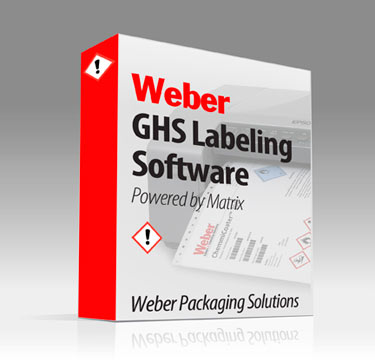
Weber GHS Labelling Software
Many GHS software programs assist the client in setting up their label formats by pulling in hazard & precautionary statements from publicly available data tables. But this is only helpful if you are producing a product with 100% concentration of a given CAS – classified chemical. Many manufacturers use custom blends that will require different hazard language. Weber’s GHS software not only gives you the flexibility to conveniently pull in these standard statements, but it also lets you edit them to fit your product, specifically.

Even better, Weber GHS software will pull in required hazard & precautionary statements based on an OSHA or GHS hazard class. In other words, if you know which class your custom blend falls into, simply select that class as an attribute in your products database, and it will automatically populate your product’s database record with the appropriate pictograms and statements. Of course, you are given the option to edit that information as you see fit.
Additionally, many software programs arrange pictograms and statements the way THEY think it should be done, leaving you with only a generic label template. Weber GHS software allows you to create any size label, and add any other relevant information such as graphics, alternate safety information (such as NFPA diamonds), order and manufacturing information, and even serialized barcodes.
All the Features You Need:
- All in one GHS labelling software – create both your SDS and GHS labels
•User-friendly label design tool
• An enterprise class database
• GHS Pictograms are automatically added based on the GHS requirements
• Other graphics and logos may be used directly on a label or tied to a database field
• User specific languages and terminology
• User specific access to functionality to ensure workflow accountability
• Step-by-step guide to compliance as you design your label
One glaring deficiency in other currently available GHS software is the reliance on public GHS Hazard, Precautionary, Storage and Disposal (HPSD) statements. Some software conveniently pulls this information from the database and permanently sticks it on your label. What they are forgetting is that many of these HPSD statements are meant to be completed by the labelling author.
Weber’s GHS Labelling Software brings you the convenience of automatically pulling in these statements through many means, but also allows you to edit them!
For instance, one common precautionary statement is “In case of fire, use … to extinguish”. Use WHAT to extinguish?! The label author needs to change this statement to reflect their chemical product.
Further, Weber’s software will not only allow you to edit these statements, it will ALERT you that there is an open-ended statement. That’s workflow enforcement at its best, and it’s the assistance every labelling author needs to ensure compliance.
User Specific Logic Built In
Weber GHS software is configurable down to the individual user. Product data should never be tampered with, so Weber GHS software can be tailored to only allow specific users access to individual parts of the functionality. Further, all changes to the database are stamped with a user, date and time for clear-cut accountability.
Alias tables in the database allow users in different countries to use the software in their own language and nomenclature. Therefore, a user in the United States and a user in Turkey can print from the same label template in the database, but each labelling element (such as “Purchase Order Number” or “Product Code”) will display in their respective languages. These are not just straight translations from a translator program; they are set up by the user to get the most accurate translation
Adobe Reader is required to open and view PDF files. This can be downloaded free from adobe.com.
Available Documents
You must be logged in to access these documents. Register for an account.- Fast Speed Printing
- Durabilit
- Enduring
- Anti-microbial Casing
- 2-Colour Printing
- Choose from a wide range of 203, 300 and 600 dpi print engines
- Capable of handling print speeds up to 16 ips
- Numerous I/O’s ease interfacing with external devices
- Monitor operation via a web browser
- Available with RFID capability
NAUTIZ X4
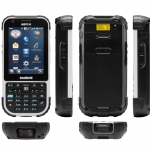
WORK-READY, FIELD-TOUGH
Merging ultimate mobility with true field functionality, the Nautiz X4 rugged handheld is a durable tool designed with fieldwork in mind — it’s packed with features, it’s compact and truly portable, and it offers a reliable computing solution for challenging worksite environments.
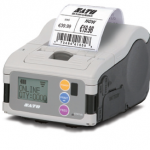
View ProductSato MB2i Printer
FEATURES
Model 5300 Series Electric Tamp-Blow Label Printer-Applicator
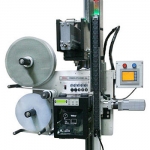
This Weber exclusive label print-apply system provides high-resolution printing and high-speed operation combined with the high-speed electric tamp-blow method of label application.
Axicon PV-1000 Portable Barcode Verification
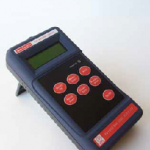
The PV-1000 Portable display and collection unit has been introduced in response to the requests of our customers, who appreciate the ease of use and high level of repeatable accuracy of the Axicon PC and Mac-based verifiers, but would like to add portability to their quality processes. For existing Axicon verifier customers who now
find that portability would be beneficial in their quality control there is no need to purchase a new verifier – just add a portable display and collection unit to work with the existing equipment – the Axicon PV-1000.







