

Services
Hotel Cleaning Software Hotel Cleaning gets information to the reception faster. The mobile devices connect to the hotels Wi-Fi and sends data directly to the reception. The cleaner can report: When a room is ready for the next guest, scan barcodes on consumed minibar items, damage in the room, missing items (bathrobes, towels, remote control…), […]
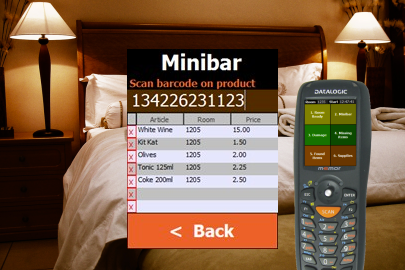
 Hotel Cleaning Software
Restaurant Ordering Software
Adobe Reader is required to open and view PDF files. This can be downloaded free from adobe.com.
Available Documents
software-brochureAxicon 6025-S Barcode Verifier
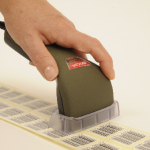
The Axicon 6025 – S verifier is designed for all barcodes where a 4, 5, 6, 10 or 20 mil aperture is mandatory up to a maximum width of 68mm including quiet zones. The simple-to-use design reduces user error and eliminates product damage whilst providing the highest level of accuracy achievable for verification.
View ProductSolicom ClockInOut
Summary
Solicom ClockInOut is an easy to use application, with just a single screen showing the current time and after scanning a badge, a welcome or goodbye message is shown for the person just scanned. Badges that are allowed for entrance can be put in a lookup table. All badges scanned are saved in a report table. Via a supervisor menu, activated by a configurable special badge number, the download and upload of both tables can be controlled.
View ProductTouch-Screen Label Print Station
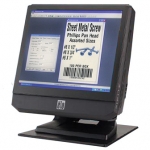
Weber’s Elo Touch-Screen Print Station provides a compact, simple solution to selecting various label formats and then printing them using Weber label printer-applicators or tabletop label printers in virtually any production environment.
The Print Station is a stand-alone computer that allows you to set-up a control station for your labelling system that features a user-friendly touch-screen for easy operation by your personnel.
View ProductZebra DS4308-HC HEALTHCARE SCANNER
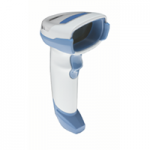
In the mission-critical world of healthcare, caregivers need to be able to accurately capture virtually any barcode, on any medium, in any condition — with first-time every time predictability. And with the DS4308-HC on your workstations-on-wheels and other carts, they can. The DS4308-HC does it all — 1-D or 2-D, electronic or printed on paper labels, tiny dense codes on the curved surface of a vial, codes printed on reflective surfaces like IV bags, codes under shrink wrap on doses of medication — and even smudged, scratched or poorly printed barcodes. The result? The priceless peace of mind that the right patient received the right medication and the right test results, every time.
View Product






