

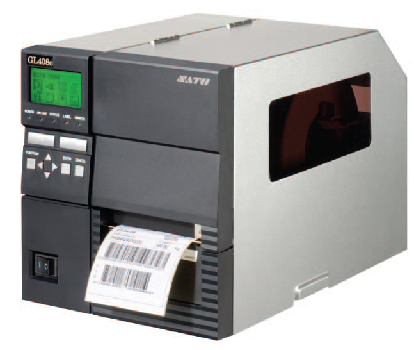
Sato GL4e Printer
The GL4e Series is SATO’s most significant release of printing technology to date. Versatility and value are the cornerstones of the GL4e Series with features that surpass the competition. Only the GL4e Series offers a field-upgradeable UHF RFID option; an industry-leading printer management utility SATOnet CONNECT™; standard tri-port communication protocols, competitive emulations and much more.
FEATURES
- Compliance Labelling
- Pallet Labelling
- Logistics and Distribution Product Labelling
- Low operating costs
- Network Control
- Online Barcode Verification
- RFID Ready!
- Easy Replaceable Print head
- Product Traceability
- Inventory Management
APPLICATIONS
- Logistics
- Distribution Centres
- Warehouse
- Production
- Administration
- Authorities
Adobe Reader is required to open and view PDF files. This can be downloaded free from adobe.com.
Available Documents
GL4e Series DatasheetLegi-Air 4050 Pallet Label Applicator
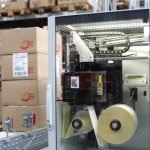
The Legi-Air 4050P for continuous pallet labelling.
The system offers numerous advantages with respect to speed, reliability, scope of application, size and serviceability.
View ProductWeber Alpha HSM Label Applicator
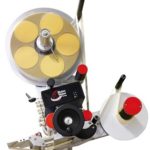
The Alpha HSM (High Speed Modular) is our new modular compact Labelling System designed with versatility in mind.
View ProductLabelling Applicator Options
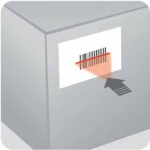
Weber Label applicators offer numerous labelling options: Change of format The label dispensing head is quick to replace (approx. 30 seconds), with our optional Quick-Change system. This means that our label printing dispensers are equipped for the most varied of present and future labelling requirements – a system for many applications. Labelling from all sides […]
View ProductAlpha TIJ – Label dispenser Alpha with multifunctional inkjet-printer
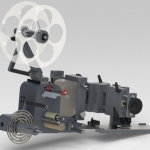
The Alpha TIJ comprises a label dispenser of the proven and renowned Alpha series and a thermal inkjet printer.
View Product







