

Produce Labels
Produce labels come in all shapes and sizes. And some need special required information fields, QR codes, bar codes, traceability information and more.Let Weber help you get the most from your label by using the right materials that will match your requirements plus give you a label that will attract more buyers to your fresh produce.
Take a look at some of the labels we have made and see what we can do. Contact us for more information or help meeting your label requirements.
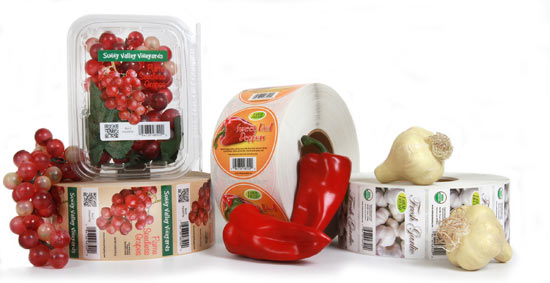
Make your vegetables even more appetizing with a great looking label.
Produce Labels
Materials:
- Food packaging has to look good and reflect the freshness of your product.
- Use clear label material to allow the customer to see inside your package to witness the freshness of the item.
- Be sure to use label materials that will stand up to the environment if they are exposed to water or harsh conditions.
Artwork:
- Colorful labels attract a customer’s eye when shopping in the fresh market section of a grocery store.
- Use colors that enhance your products. Use appetizing photos of the natural food or a shot of the product in it’s prepared state.
- Add a QR Code or SnapTag on the label to interact with your customers.
Adobe Reader is required to open and view PDF files. This can be downloaded free from adobe.com.
Available Documents
Datalogic Falcon X3
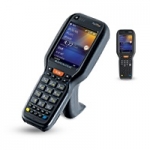
Falcon X3 is perfect for a variety of Warehousing and larger retail in store environments including stock counts, merchandising, pick and pack, and goods in/goods out applications.
View ProductMC67 Mobile Computer
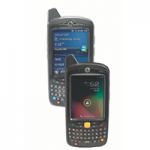
Give your field workforce customers the tools they to work faster and smarter than ever before with the MC67
What can your customers accomplish with the MC67? Everything they need to get the job done. Your customers can choose the operating system that best supports their mobility strategy — Windows® Embedded Handheld 6.5 or Android™ Jelly Bean (4.1) — to instantly access the wealth of information in their business systems to increase task efficiency and accuracy. This fully-featured powerhouse of a device lets workers access information in the backend system; scan practically any bar code in almost any condition; capture documents to simplify recordkeeping; take and send video and photos for real-time repair support; and call a customer with an arrival window — all at 4G HSPA+ speed.
View ProductMarkoprint X1JET HP HandHold
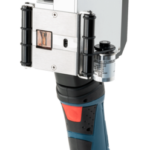
The Markoprint X1JET HP HandHold inkjet printer is a versatile, mobile, industrial, small character inkjet printer. The X1JET HP HandHold is battery operated and will print high resolution text and images without being fixed to a production line. The long-life battery allows you to print over an extended period of time. Configuring the device and uploading of print images is a simple task using a USB stick and the Markoprint iDesign software.
View Product
Epson ColourWorks™ GP-C831 Inkjet Colour Label Printer
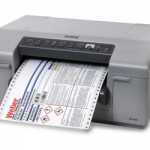
Epson’s ColourWorks C831 breakthrough industrial-strength inkjet label printer is ideal for GHS large format drum and chemical labels. This wide-web printer uses pin-feed labels for extended accuracy.
View Product






