

Model 5300 Series Pail/Drum Label Printer-Applicator
The fully-automatic system that quickly and accurately prints and applies labels to pails or drums on the production line.
• Fully automatic pail/drum labelling system
• Ideal for rough production conditions
• High-grade label printing in a single operation
• Prints and applies labels up to 7″ x 14″
• Labels up to 30 products per minute
• Print resolution up to 600 dpi
• All conventional data interfaces
• Service interval display
• Display controller for simple operation
• Easy integration
• CE certification
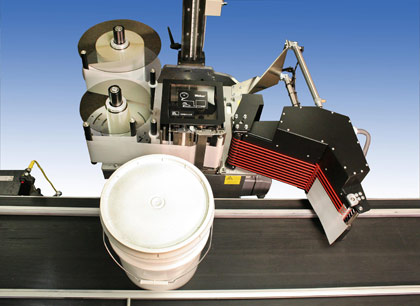
Model 5300 Pail/Drum Label Printer-Applicator
Weber has designed and engineered a unique label printing and application solution that features flexibility, quality and efficiency.

Weber’s Model 5300 Pail/Drum Labelling System quickly and consistently prints and applies perfectly positioned labels to the outer circumference of the product. It optimizes the product identification process to provide a positive impression on consumers, thanks to accurate label placement that ensures strong brand impact. The labels are applied straight and consistent every time.
The system prints top-quality labels up to 7″ x 14″ with very high-resolution text, bar codes and/or graphic images. The durable construction of this unique labelling solution makes it suitable for use in all sorts of production environments.
Pails or drums can be properly labelled even amid changing product identification requirements, and variable products and information can be accommodated without wasting labels. The Model 5300 Pail/Drum Labelling System is versatile enough to communicate via existing data controllers or interfaces.
Adobe Reader is required to open and view PDF files. This can be downloaded free from adobe.com.
Available Documents
5300- Semiconductor / Electronics
- Dual LAN System
- Fastest in the Market
- Large LCD Display
- Easy to Navigate Menu
- User Configurable Print Head
- RFID Ready and Upgradeable
- No PC Required
- Tri-Interface Port
- Built to Last
SATO CG Series
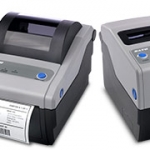
With superior performance and affordable price, these 2″ or 4″, 203 or 305 dpi, Direct Thermal/Thermal Transfer printers are best in their class. The SATO CG Series models are delivered stock out of the box with competitive emulations onboard and optimal interfaces (built in USB standard) for outstanding performance in clinical and processing environments. […]
View ProductModel 5300 Series Tamp-Blow Label Printer-Applicator
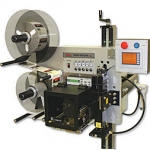
This Weber exclusive provides high-resolution printing and high-speed operation combined with the highly-accurate tamp-blow method of label application. This allows you to add a method of labelling your products quickly and efficiently on your production line.
• Choose from a wide range of 203, 300 and 600 dpi print engines
• Capable of handling print speeds up to 16 ips
• Numerous I/O’s ease interfacing with external devices
• Monitor operation via a web browser
• Available with RFID capability
Sato GT4e High Performance Industrial Printing
FEATURES
ZD420 RIBBON CARTRIDGE DESKTOP THERMAL PRINTERS
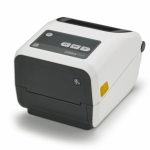
Fast 4-inch thermal printers that are easy to use, easy to deploy and easy to manage, then choose the ZD420. Daily operation couldn’t be simpler, thanks to a new ribbon cartridge with more status icons
View Product






