

Model 4300 Pro-Apply Tamp-Blow Label Printer-Applicator
Weber’s economical Model 4300 Pro-Apply printer-applicators feature the functionality often limited to higher-duty production systems.
• Applies labels up to 6″ wide x 6″ long
• Prints text, bar codes and graphic images @ 203, 300 or 600 dpi
• Non-contact, tamp-blow application
• Accurate labelling to within ±0.03″
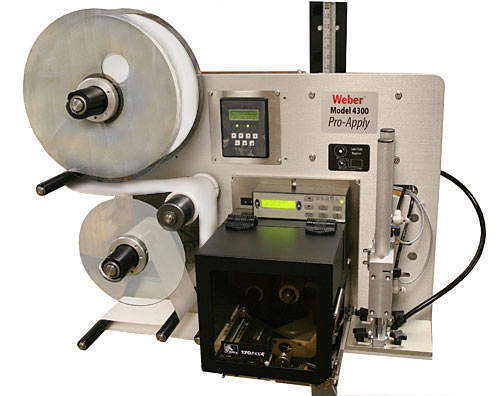
Model 4300 Pro-Apply Tamp-Blow Label Printer-Applicator
The Model 4300 Pro-Apply is a versatile in-line system that combines high quality label printing and application that ensures fast, accurate pressure-sensitive labelling.
The Model 4300 Pro-Apply system is designed and engineered by Weber and is assembled in our own U.S. manufacturing facility. Each unit is equipped with an on-demand, thermal/thermal-transfer print engine from Datamax, SATO or Zebra to produce 203, 300 or 600 dpi text, bar codes and graphic images at speeds up to 16 ips.
Labels up to 6″ wide and 6″ long are printed in a cost-efficient, next-out mode and are then instantly applied to cartons or products on the production or packaging line.

Utilising the tamp-blow method of application, a printed pressure-sensitive label is automatically peeled from its liner and is retained by vacuum on the applicator’s tamp pad. The pad is extended (select from 2″ to 12″ strokes) and blown onto the package from approximately 0.25″.
Several standard tamp-pad sizes are available and are provided in quick-change configurations. In just a few seconds the tamp-pad can be removed and another fastened in its place to handle a different size label.
Standard features include durable anodized aluminium construction, an integrated user interface with LCD display, and numerous inputs/outputs to facilitate the use of a product sensor or other optional accessories and stepper motor-driven rewind.
Adobe Reader is required to open and view PDF files. This can be downloaded free from adobe.com.
Available Documents
4300Alpha TIJ – Label dispenser Alpha with multifunctional inkjet-printer
The Alpha TIJ comprises a label dispenser of the proven and renowned Alpha series and a thermal inkjet printer.
View Product
Gryphon 4100 – HC
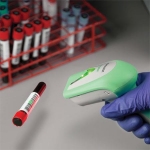
The Gryphon family are successfully associated with their premium line of Datalogic ADC’s general purpose handheld data collection products. The Gryphon is ideally partnered with the Healthcare industry but has the flexibility to work across other industries. The Gryphon is extremely versatile and durable. The Gryphon is the ultimate solution for applications where mobility is […]
View ProductHand-Held Label Applicators
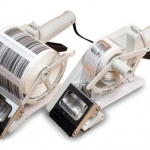
These light-weight Towa brand label applicators are the fast, easy way to manually apply pressure-sensitive labels, including RFID tags, to your products. They are available in a variety of sizes from 20mm to 100mm in width.
If you need to apply labels to small batches of products or cartons, these Towa hand-held label applicators can help speed up production and accuracy. Just squeeze the lever and labels are advanced for application. Fast and easy labelling!
View ProductAxicon 7015 Barcode Verifier
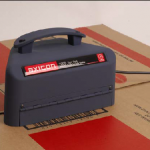
The Axicon 7015 combines CCD based hardware and state of the art application software, conforming to the latest ISO/ANSI print quality standards (ANSI x3.182 and ISO/IEC15416-1). Our equipment has been independently tested and conforms to ISO/IEC15426-1. The Axicon 7015 is designed for all barcodes where an 8, 10 or 20mil aperture is mandatory (such as GS1-128 and ITF-14), up to 195mm width including quiet zones. The simple to use design reduces user error and eliminates product damage whilst providing the highest level of accuracy achievable for verification.
View Product






