

M8485Se Print Engine
The M8485Se, based on the popular M8485S, is the industry’s first “Plug and Play” printer capable of full high-speed bi-directional communications. The printer has been designed with a large amount of on board memory and with the flexibility of adding additional flash and/or PCMCIA based memory upgrades to accommodate virtually any printing requirement. Print Method: […]
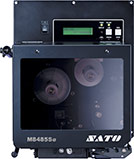
The M8485Se, based on the popular M8485S, is the industry’s first “Plug and Play” printer capable of full high-speed bi-directional communications. The printer has been designed with a large amount of on board memory and with the flexibility of adding additional flash and/or PCMCIA based memory upgrades to accommodate virtually any printing requirement.
Print Method:
Direct/Thermal Transfer
Print Width:
128mm (5″)
Media Width:
22mm – 131mm
(0.87″ – 5.16″)
Print Speed (max.):
305mm/s (12 ips)
Resolution:
8 dot/mm (203 dpi)
Memory:
16MB RAM/2MB Flash
Standard Interfaces:
External IO
Adobe Reader is required to open and view PDF files. This can be downloaded free from adobe.com.
Available Documents
M8485Se DatasheetGryphon 4100 – HC
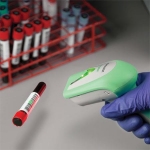
The Gryphon family are successfully associated with their premium line of Datalogic ADC’s general purpose handheld data collection products. The Gryphon is ideally partnered with the Healthcare industry but has the flexibility to work across other industries. The Gryphon is extremely versatile and durable. The Gryphon is the ultimate solution for applications where mobility is […]
View ProductZebra ZT400 Series Printers
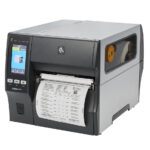
The ZT400 Series builds on the field-proven reliability of the Z Series with advancements in print speed, print quality and connectivity options. Designed for ease of use, the ZT400 Series printers offer an intuitive icon-based LCD graphical user interface and easy supplies loading. And, they include standard USB, Serial, Ethernet and Bluetooth® capabilities. Expanded RFID capacities deliver greater tracking abilities, deeper visibility and enterprise insights.
View ProductZebra 220Xi4
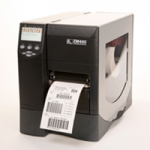
Designed for fast printing of chemical drum and other wide-label applications, count on high-performance when you trust the rugged reliability of this thermal label printer. Standard Features Print methods: Thermal transfer or direct thermal Construction: 12-gauge steel frame Single 32 bit More Standard Features 16 MB SDRAM; 8 MB non-volatile Flash memory Automatic media/ribbon […]
View ProductWeber LA 6000 Labelling System
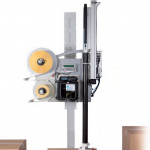
High Performance Labelling System for Warehouse & Logistics
Modularity, High Performance necessary for Warehouse and Logistics System Solutions
View Product






