

I-Class Mark II
We made the best better.
Datamax-O’Neil’s I-Class revolutionized the barcode printer industry with its award winning modular design, field installable options and rugged reliability.
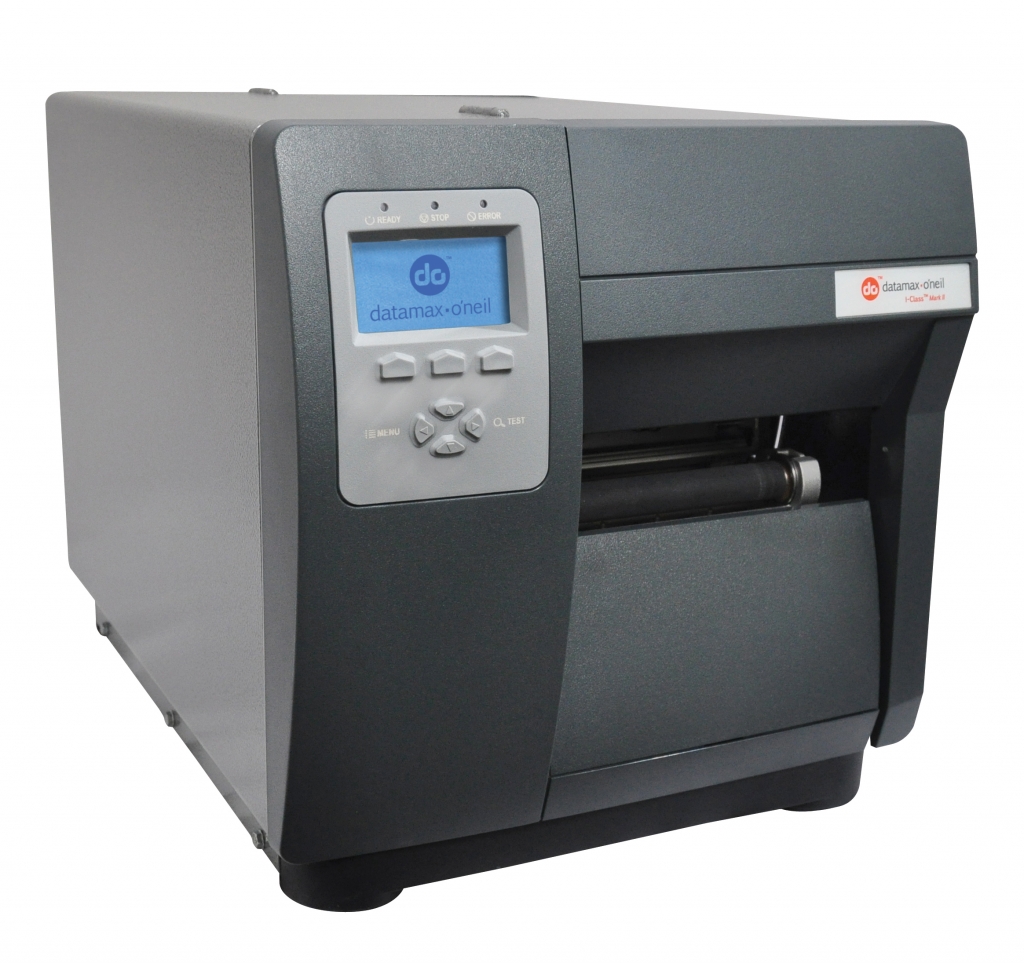
For the past several years, resellers have named the I-Class the “best channel product” in some of the industry’s largest third-party surveys. Now we’ve raised the bar even higher, with the redesigned I-Class Mark II.
Offering the fastest processor, largest memory and widest selection of communication ports available in a mid-range printer, the I-Class Mark II provides lower operating costs and flawless print quality. For applications as diverse as shipping and receiving, product identification, pharmacy labeling and asset tracking, the I-Class Mark II will maintain its reputation for providing outstanding for performance, reliability and value.
Specifications at-a-glance:
- Direct thermal, thermal transfer (optional)
- 4.16” [105.7 mm] maximum print width
- 203 dpi [8 dots/mm], 300 dpi [12 dots/mm], 600 dpi [24 dots/mm] optional resolution
- 12 ips [304 mm/s] maximum print speed
- Ethernet wired LAN 10/100, W-LAN with WPA2 security protocol, 2 USB Host Ports and SDIO, GPIO interface card
Adobe Reader is required to open and view PDF files. This can be downloaded free from adobe.com.
Available Documents
I Class MII PrintersGeset 111 Top Labelling System
The Geset 111 labelling system is used to label square products on the top side automatically. Depending on the type and dimension of the product, different label sizes are used. The products are fed manually or by a conveying system provided by the customer at an infeed passage on the labelling system. Care should be taken on accurate alignment of the products. It is essential that the products are forwarded separately to the applicator with a gap between each other.
When the barrier is reached, an application trigger is tripped. The label applicator applies a label on the product in Wipe On procedure. The label on the top side is pushed on to the product by a brush or roller. After labelling, the products move on and can be removed from the conveyor by the customer.
View ProductZD500 Thermal Transfer Desktop Printer
Offering high-resolution print quality and quadruple connectivity options, the ZD500 is compact and feature-packed for top performance.
View ProductTamper Evident
Weber’s Tamper Evident OEM module is specifically designed to fit neatly into existing Serialisation or Pharma Packaging Systems.
View ProductEasyGo! PriceCheck
Summary
Let your customers check on the fly the price of products they are buying at your store. Improve customer satisfaction and customer experience with this self-service application. Designed for a wall-mounted device, your customers are able to check the price, get product information, and even get a picture of the product they are buying just by reading the product’s barcode. So, no matter where in the store your customers might be, help is never more than a few steps away with EasyGo!PriceCheck.
View Product






