

Epson SecurColour TM-C3400 Inkjet Colour Label Printer
The SecurColour prints colour-enhanced labels and tags on demand to improve inventory organization, lowering the cost of inventory management and improving customer service.
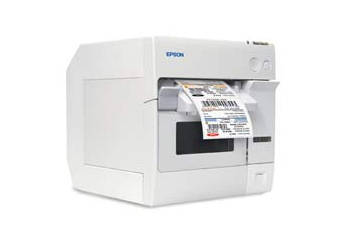
- Compact, robust design for commercial use
•High-quality colour inkjet printing
• Single three-colour ink cartridge for simple inventory
• Supports a variety of media types and sizes
• Easily adjustable to handle 1.2″ to 4.4″ widths
• Rear-feed capability for fanfold and large rolls
• Selectable print resolution at 360 x 180 dpi, 360 x 360 dpi or 720 x 360 dpi
• Fast print speeds of up to 94mm (3.7″) per second (56mm print width) in high-speed mode
• USB or Ethernet interfaces
• Works great for in-house on-demand UDI or GHS labelling
Colour coding improves inventory management
Small manufacturers, specialty retailers and other low-volume/high mix businesses can easily misplace inventory on warehouse shelves or in bins. Now with SecurColour you can produce colour-enhanced labels to mark inventory by product type or model, and sensitive goods can be colour-coded based on date received or expiration date. SecurColour also lets you print vibrant shelf talkers, shelf tags, pricing labels and small signs up to four inches wide at any time.
Colour labels speed service
If your business requires retrieving inventory to fill orders for waiting customers, colour labels can help your staff find the right item in the stockroom fast. SecurColour labels can also include full-colour product images for rapid visual identification. And with colour-coded shelf tags and product images on cartons, employees can quickly find stock items correctly. The result is faster, more accurate warehouse transactions and improved customer service.
Superior ink and image quality
Instead of pre-printing and storing thousands of labels, with SecurColour you can just print the labels and signs you need. And unlike laser printers which use up a full sheet for printing only a few labels, SecurColour minimizes waste, allowing you to print one or many labels at a time. SecurColour also provides colour-fast, waterproof printing without messy thermal transfer ribbons. You can print on a wide range of Epson-qualified media from plain and synthetic paper stock to die-cut and fanfold labels.
Epson quality and reliability
Designed for high-duty commercial environments, the SecurColour inkjet printer delivers the quality and reliability that Epson is known for. It comes with ease-of-use features including auto cutter, gap and black mark sensors and paper-end sensors for roll stock. And Epson’s patented MicroPiezo® inkjet technology ensures crisp, clear, easy-to-read graphics, bar codes and text.
Adobe Reader is required to open and view PDF files. This can be downloaded free from adobe.com.
Available Documents
ColorWorks-C3400-Series-DatasheetModel 4300 Pro-Apply Swing-Tamp Label Printer-Applicator
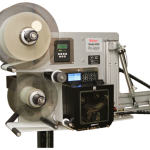
Weber’s economical Model 4300 Pro-Apply swing-tamp printer-applicator features the functionality often limited to higher-duty production systems used to label the leading or trailing side of a product.
• Applies labels up to 6″ wide x 6″ long
• Prints text, bar codes and graphic images @ 203, 300 or 600 dpi
• Non-contact, swing-tamp application
• Accurate labeling to within ±0.03″
Label Adhesives
Pressure-sensitive adhesive works not only due to its initial tack, but also its slight absorption into the surface of the label substrate. Because the specific characteristics of different substrates can prevent the absorption of adhesive and therefore weaken its adhesion, it is important to consider the substrate material and texture, its shape and its temperature at application.
View ProductWeber LA 6000 Labelling System
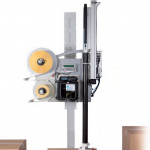
High Performance Labelling System for Warehouse & Logistics
Modularity, High Performance necessary for Warehouse and Logistics System Solutions
View ProductDNP TR4085plus Premium Resin-Enhanced Wax
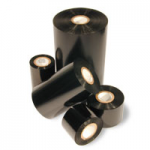
The industry’s leading wax product since its introduction to the market in November 2000, TR4085plus features our SmoothCoat® backcoat. This unique ink formulation dissipates static and is versatile enough to print on a wide variety of label stocks. No other wax product beats TR4085plus® when it comes to edge definition for crisp, rotated bar codes and dark, durable images.
View Product






