

EasyGo! Support Ticket
Summary
Report your support tickets in the easiest way with this application. Just enter the priority, the customer related information, the incident details and it’s ready to be reported to support.
Description
EasyGo!SupportTicket allows to report incidence tickets in a few clicks:
- Create a new support ticket (a unique ticket ID will be created automatically).
- Optionally, enter customer related data (name, contact data, additional information…)
Finally, upload the reported incident tickets to the host via cradle or WiFi.
Languages
- English
- Spanish


Adobe Reader is required to open and view PDF files. This can be downloaded free from adobe.com.
Available Documents
Weber’s GHS Labeling Software
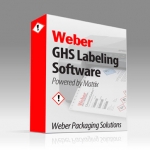
Are you still looking for an all-in-one solution to your GHS labelling needs?
If you are a medium to large company that manufactures or distributes multiple chemicals or formulations, you should look into Weber’s new GHS Labelling Software powered by Matrix. Whether you are using one PC or an entire network of computers in multiple locations, this system can keep your labelling operation organized, compliant and running smoothly.
Using one SQL database, fewer formats are needed. All the information is stored in one location making it easier to update. And the Weber GHS Labelling Software has a very tight audit trail so all user activities are date and time stamped for accountability.
View ProductLegitronic® Labeling Software
Weber’s proprietary Legitronic Labelling Software provides the versatile label design, printing and RFID encoding features that are required to meet today’s labelling requirements. The software is easy to use yet robust enough for industrial applications that need to use large databases.
As the cornerstone of our complete labelling systems, it is fully compatible with our extensive line of labelling equipment as well as most Zebra, Datamax and SATO label printers and print engines. An FDA compliance version also is available.
View ProductGeset Labelling Machine
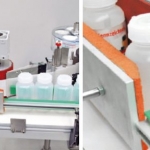
Fast, reliable, economical solutions to product labelling: Geset 100, 300 and 700 labelling machines are part of a modular system. Up to 50 modules are available for design solutions to customer demands. The Geset 100 is a labelling machine for small production series, designed to produce small volumes as accurately and flexibly as would a large plant. Its robust construction renders it ideal both for intermittent use of only a few minutes per day and for multiple shift operation.
View ProductRFID Smart Labels
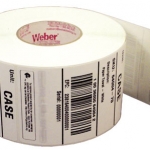
Weber is applying its expertise as a leading manufacturer and supplier of pressure-sensitive labels to provide the finest in RFID smart labels. Our innovative method of inserting the RFID inlays fits seamlessly within our label conversion process. And because we manufacture the RFID smart labels ourselves, we’re able to offer RFID media that will maximize performance and minimize costs.
View Product






