

Zebra GK420 Healthcare TT/DT 203dpi Printer
Zebra GK420t Healthcare Desktop Printer
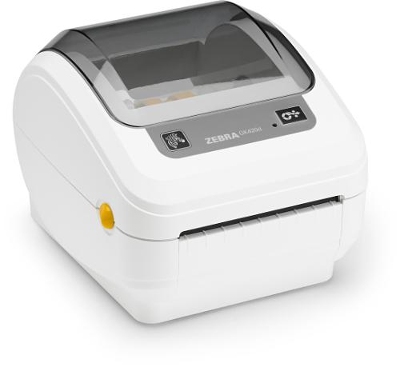
As a thermal transfer printer, the GK420t Healthcare printer produces labels that are extremely durable. Ideal for printing long-lasting laboratory and asset-tracking labels that may be subject to harsh cleaning products, sterilization or temperature extremes.
Standard Features –
Print speed: up to 5″ (127 mm) per second
Disinfectant-ready plastics
Medical-grade power supply
Print method: thermal transfer
Programming language: EPL and ZPL are standard
Construction: dual-wall frame
Tool-less printhead and platen replacement
OpenACCESS for easy media loading
Quick and easy ribbon loading
Auto-calibration of media
Triple connectivity: USB, Parallel, Serial
ENERGY STAR® qualified
Printer Specifications –
Resolution: 203 dpi/8 dots per mm
Memory: Standard – 4 MB Flash; 8 MB SDRAM
Print Width: 4.09/104 mm
Maximum Print Length: 39.0/990 mm
Maximum Print Speed: 5/127 mm per second
Media Sensors: Fixed reflective and transmissive sensors
Adobe Reader is required to open and view PDF files. This can be downloaded free from adobe.com.
Available Documents
gk420 healthcareZebra FS10 Fixed Industrial Scanner
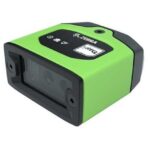
A Quick & Compact Scanning Solution
The increasing demands on international commerce and its global supply chain are pressurising businesses to deliver more and deliver faster. From manufacturing to logistics to the end customer, success is driven by the ability to move quickly and track the products that drive your business.
Now you can address it all with the compact Zebra FS10 Fixed Industrial Scanner. With a slim profile, the FS10 fits easily everywhere you need scanning. Just plug the FS10 into the USB port of a workstation, laptop, tablet or any other host device to dependably capture barcode data, from assembly to storage and fulfilment.
View ProductNAUTIZ X5
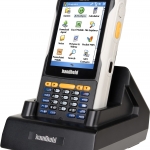
PACKED WITH PERFORMANCE
The Nautiz X5® is a versatile PDA that delivers a category-leading combination of performance features in a small but rugged package. The Nautiz X5 is designed to provide everything you need for optimum in-the-field computing performance –a total package of unmatched capabilities in a rugged format.
View ProductChecker 4G Series
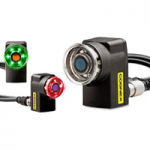
Checker Vision Sensor Features
The Checker® vision sensor is an award winning all-in-one industrial sensor with built-in camera, processor, lighting, optics, and I/O capable of detecting and inspecting up to 6,000 parts per minute–all in an industrial IP67 enclosure small enough to fit into the tightest of spaces.
View ProductPLUSMARK – Premium Wax
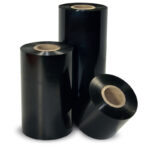
PLUSMARK is the high performance wax ribbon from Weber. It offers all
the benefits of a general purpose wax ribbon with an improved print durability
and a capability to print on synthetic label materials.