

Zebra ZD410
The ZD410 is the smallest printer in its class, fitting easily in the most space-constrained desktop or shelf. Available with either 203 dpi or 300 dpi print resolution, the ZD410 is ideal for printing labels with a shelf life of less than one year. The ZD410 is currently available for purchase only in North America and the European Union countries. It will be launched in other countries throughout 2016.
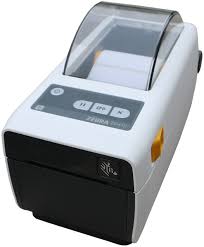
Easy-to-use, reliable printer for space-constrained areas
Ideal for applications requiring an easy-to-use, reliable printer for space-constrained areas, the ZD410 and TLP2824 Plus can be used in a variety of printing applications. One of the smallest in its class, Zebra’s 2″ print width printers tuck into the tightest work spaces and print labels, receipts or wristbands with best-in-class print speeds.
Unsurpassed flexibility
When it comes to flexibility, the ZD410 shines. You get virtually every modern connectivity option, from USB, auto-sensing serial and 10/100 Ethernet to the latest wireless options, including 802.11ac Wi-Fi and Bluetooth 4.1. Plus, with the ability to add serial or Ethernet connectivity as well as a peeler and cutter right on site, you can easily upgrade the printer at any time. The TLP2824 Plus comes with standard USB and Serial or Parallel connectivity.
Even easier to use
A new and improved user interface makes the ZD410 easier than ever to use. There are more status icons that make it easy to spot and resolve issues. You can tap an NCF-enabled mobile device on your ZD410 to instantly access Zebra’s extensive knowledge base of how-to videos and more. The result? You always have access to the information you need to get your printer back on line quickly, protecting uptime and worker productivity.
Robust 32-bit RISC processor
A robust 32-bit RISC processor increases throughput and productivity with faster formatting and first label out.
| PRINT WIDTH 2.2″/56 mmPRINT RESOLUTION 203 dpi/8 dots per mm 300 dpi/12 dots per mmMAXIMUM PRINT SPEED 6″/152 mm per second @ 203 dpi/8 dots per mm 4″/102 mm per second @ 300 dpi/12 dots per mm |
MEDIA SENSORS Multi-position transmissive and full width reflective sensorsCOMMUNICATION METHODS USB 2.0, Bluetooth Low Energy, USB Host RS-232 Serial (option),10/100 Ethernet (option) Wireless: 802.11ac with Bluetooth 4.1 (option) |
Adobe Reader is required to open and view PDF files. This can be downloaded free from adobe.com.
Available Documents
You must be logged in to access these documents. Register for an account.- Anti-microbial Casing
- User Friendly Operation and Maintenance
- Printing Resolution of 203 / 305 dpi
- Real-time Clock
- Prints 4 inch Labels,Receipts and Tags
- Supports Tags up to 0.33 mm thick
- High Print Speed of 10 ips
- Large LCD Display
- Prints Brand Names and Logos
- Automated Print-Cut-Stack Function
- RFID Ready
Label Facestocks
Weber can provide you with a selection of label facestocks to solve virtually any labeling application. Each facestock features certain characteristics for superior performance in specific work environments.
View ProductWeber LA2050 – Compact Entry Level Print & Apply
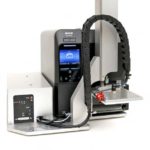
The compact and low-cost LA2050 label print and apply system is designed for automated print and apply processes on a production line. It can also be used in semi-automatic mode where automatic label application is not required with the system being used as a label print and dispense system, with the label applicator system being initiated manually by the operator.
View ProductSato CG4 Printer
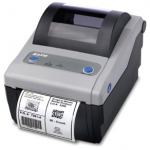
FEATURES
Sato – TG3 High Performance Printer
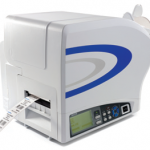
FEATURES







