

Zebra GK420
Zebra’s GK™ Series and GT800 desktop printers combine dependable printing with fast print speeds and network manageability. With their easy-to-use design, Zebra’s advanced desktop printers enable you to improve operational efficiencies.
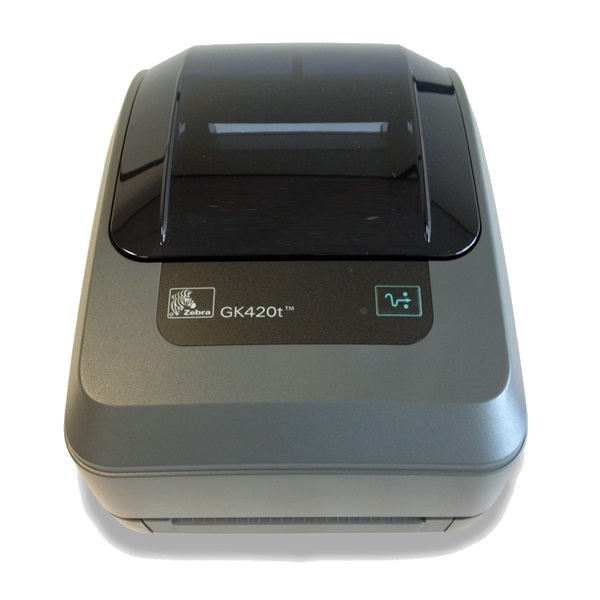
DEPENDABLE PERFORMANCE TO IMPROVE OPERATIONAL EFFICIENCIES
The top selling desktop printer in the world, the GK420 provides a proven design and long term dependability. Both the GK420 and GT800 printer models are a top choice for a variety of mid-volume and distributed-printing applications to reliably produce quality text, barcodes or graphics.
FLEXIBLE.
The GK420 offers USB, Parallel and Serial connectivity interfaces and easy upgrades with both the ZPL and EPL programming languages. The GT800 printer supports both 300 Metre and 74 Metre ribbon capacities — without the need to change settings for different ribbon lengths. The GK420 Healthcare printer is available in the healthcare colour palette designed specifically for sterile environments.
EASY TO USE
The intuitive design of the GT800 and the GK420 printers combines a choice of three connectivity interfaces and optional 10/100 Ethernet, co-resident EPL2 and ZPL II programming languages and Unicode to ensure quick and efficient integration. The GK420 offers direct thermal only models for simplicity and cost savings.
Adobe Reader is required to open and view PDF files. This can be downloaded free from adobe.com.
Available Documents
CV Series Vision Systems Catalog (English)Zebra P4T / RP4T Mobile Printers
- Anti-microbial Casing
- User Friendly Operation and Maintenance
- Printing Resolution of 203 / 305 dpi
- Real-time Clock
- Prints 4 inch Labels,Receipts and Tags
- Print and apply labels on a production line in one easy step
- Choose from a wide range of 203, 300 and 600-dpi print engines
- Capable of handling print speeds up to 16 ips
- Numerous I/O’s ease interfacing with external devices
- Monitor the operation via a web browser
- Available with RFID capability
Barcode printer for your individual business needs
Desktop printers are versatile and can be used in barcode applications for example. Their size means they can be used whatever the time and place. The desktop printer is ready when- and wherever a label is required.
View ProductSato CG4 Printer
FEATURES
Model 5300 Series Direct-Tamp Label Printer-Applicator
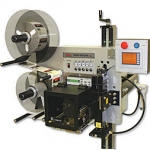
This Weber exclusive Model 5300 label printer application system provides high-resolution printing and high-speed operation combined with the dependable direct tamp method of label application. This method is similar to tamp-blow, but the flexible tamp pad makes direct contact with the product during application.
View Product
Manual Label Dispensers
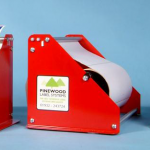
Manual Roll Dispensers MB Series: The essential dispenser for larger rolls of self adhesive labels where low volume application is required.
View Product






