

Zebra DS4800 Series Scanner
In today’s highly competitive retail market, improving your customers’ experience is a must. To differentiate yourself and keep shoppers
coming back, you not only need fast, smooth checkouts, you need an aesthetically pleasing store environment that reinforces your brand.
Yet, the POS, the most common point of interaction between customers and sales associates, is often overlooked. Current scanner technology does not enhance the checkout experience or integrate your brand into the process. But Zebra’s DS4800 Series changes that.
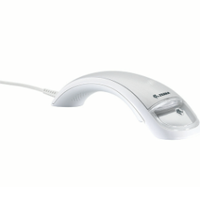
The DS4800 Series bar code scanner offers style without compromise by marrying impressive design and innovative technologies with enterprise reliability and functionality. The sophisticated arc design brings a new level of style to your POS and compliments your environment. Cashiers will experience a new level of performance that translates into the smooth successful scanning required to rapidly complete purchase transactions — including the first time every time capture of 1D and 2D bar codes, whether they are high density, poorly printed, damaged, under shrink-wrap or displayed on the screen of a shopper’s mobile phone.
The DS4800 can also capture documents, such as an ID card or a check as well as the PDF417 bar codes on driver’s licenses to enable fast and easy completion of loyalty and credit card applications. A capacitive trigger allows cashiers to simply tap, press or swipe to scan.
Flexible decode feedback includes vibrations, visual feedback and a library of melodic tones. Our unique proprietary illumination system creates an extra sharp aiming dot that is easy to see over the entire working range, making it easy to capture any bar code the first time — whether it is near, far or one of many on a pick list. And since you can customize the DS4800 Series with the logo and design of your choice, it will integrate seamlessly into your environment and make our innovations part of your brand. The DS4800 Series — elite performance, elegantly crafted.
Adobe Reader is required to open and view PDF files. This can be downloaded free from adobe.com.
Available Documents
DS4800 SeriesMC1X PERSONAL SHOPPER
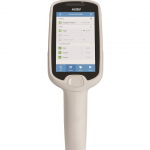
ACHIEVE CUSTOMER SERVICE EXCELLENCE AND ASSOCIATE PRODUCTIVITY
Add value to the customer experience with targeted promotions and offers based on buying preferences. Empower store associates to more efficiently manage inventory and pricing at the shelf edge. Reduce your overhead costs and improve customer loyalty with the MC Series multi-function retail mobile computer.
View ProductWeber 5300 – Label printer and dispenser
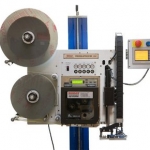
The new Legi-Air 5300 is a modular Label printer and dispenser distinguished by its extremely versatile applications and a very high operating run time. In addition, the system offers a high degree of operator-friendliness: the operator is supported in his work by several functions such as service interval or operating condition display.
View ProductZebra DS9208 Bar Code Scanner
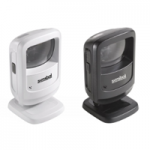
Whether you need to scan printed bar codes on paper labels or mobile bar codes on the screen of a mobile phone, with the Zebra DS9208, you’ll be ready. You get the versatility to scan any 1D or 2D bar code — from the printed labels in retail that identify product and pricing at the register to mobile coupons, mobile gift and loyalty cards, boarding passes and even theater tickets. And the DS9208 provides all the features you need to keep your workers productive: industry-leading scanning speed; true point-and-shoot scanning simplicity — no need to align bar code and scanner; and hands-free and handheld flexibility.
View ProductThe WS2000 Wireless Switch
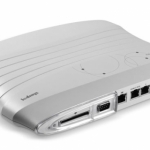
The WS2000 Wireless Switch is a powerful all-in-one solution that simplifies and helps reduce the costs of managing wired and wireless (802.11a/b/g) networks in enterprise branch offices. The integrated router, gateway, firewall, Power-over-Ethernet (PoE) and more eliminate the cost of purchasing and the complexity of managing multiple pieces of equipment. Support for Wi-Fi Multimedia extensions (WMM) and SIP Call Admission Control enables the WS2000 to provide peak performance for even the most demanding applications, including voice and video. The ability to easily and cost-effectively scale to meet growing needs, as well as upgrade to support new security, radio and other standards provides the assurance that the WS2000 will meet your needs today and tomorrow. The WS2000 — enterpriseclass networking functionality, priced for the small to medium-sized business or enterprise branch office.
View Product






