

ZD420 RIBBON CARTRIDGE DESKTOP THERMAL PRINTERS
Fast 4-inch thermal printers that are easy to use, easy to deploy and easy to manage, then choose the ZD420. Daily operation couldn’t be simpler, thanks to a new ribbon cartridge with more status icons
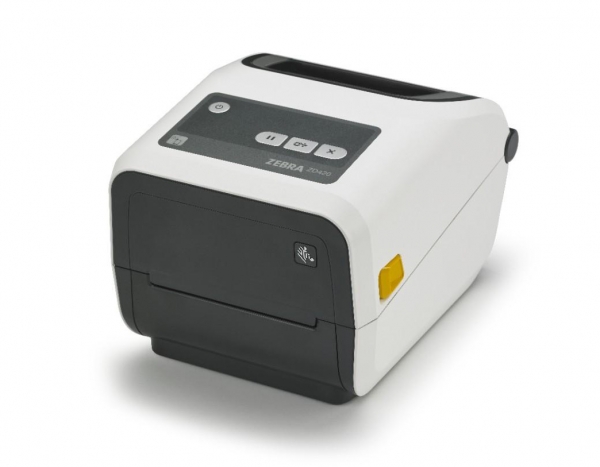
INNOVATIVE TIME-SAVING RIBBON CARTRIDGE FOR FOOL-PROOF LOADING
Virtually every modern wired and wireless connectivity option, and support for many printer languages, deployment is always fast and easy.
Add new connectivity and media handling options whenever you need them, right on site. And, cloud-based Link-OS drives management time down and return on investment up. Use the ZD420 thermal printers when ease of use, flexibility and management simplicity matter.
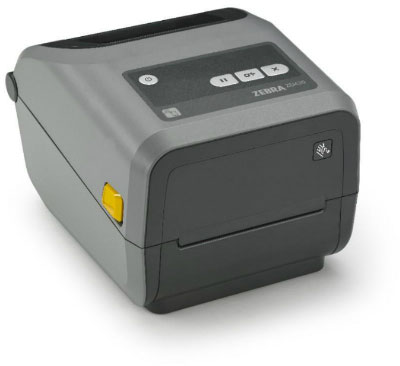
ZD420 Ribbon Cartridge Printer
EASY TO REPLACE CARTRIDGE
In addition to the innovative ribbon cartridge, on-site upgrades and just about every modern wired and wireless connectivity option, the ZD420 also comes with Link-OS. This unique software platform greatly reduces time spent integrating, managing and troubleshooting all of your printers — making your thermal printers more cost effective than ever.
Adobe Reader is required to open and view PDF files. This can be downloaded free from adobe.com.
Available Documents
ZD420 Ribbon Cartridge Printer – Healthcare Model- Choose from a wide range of 203, 300 and 600 dpi print engines
- Capable of handling print speeds up to 16 ips
- Numerous I/O’s ease interfacing with external devices
- Monitor operation via a web browser
- Available with RFID capability
SATO | NX Series
The NX is SATO’s universal printer range engineered for the ultimate operator experience, and is skilfully crafted to support new and legacy printing applications across a wide range of verticals that would require a durable and dependable printer for years to come.
View ProductEasyGo! Asset Tracking Pro
Summary
Manage all the active assets at your Enterprise. You’ll know the properties associated to all your assets with a single identifier so you’ll be able to track all the items in your warehouse/office and store the GPS coordinates. Check and change asset status. Send details back to the server to update your database and record a history of changing properties.
View Product
Model 5300 Series Swing-Tamp Pallet Label Printer-Applicator
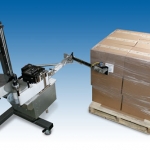
This Weber exclusive provides high-resolution printing and high-speed operation combined with the swing-tamp method of label application that affixes a label to the leading or trailing side of a pallet load.
View Product
Weber LA 4050AC Shuttle
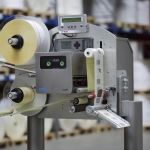
On Print and Apply Systems it is often the print module which determines the working rate. This is not the case with the new Legi-Air 4050 AC Shuttle. A loop device ensures a ready supply of labels which are custom-printed before being dispensed at unusually high speeds onto the passing products. The capacity of […]
View Product






