

Zebra 105SL Plus
Economical, dependable, high-performance printing Zebra’s 105SLPlus printer provides economical, dependable, high- performance printing. This rugged printer is built for continuous operation, with exactly the features needed for fast, reliable and cost-effective printing in your manufacturing and warehousing environments. The 105SLPlus printer leverages Zebra’s proven electronics platform to offer increased speed for high-volume applications – and […]
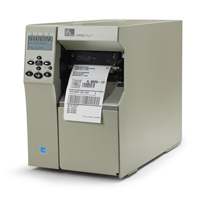
Economical, dependable, high-performance printing
Zebra’s 105SLPlus printer provides economical, dependable, high- performance printing. This rugged printer is built for continuous operation, with exactly the features needed for fast, reliable and cost-effective printing in your manufacturing and warehousing environments.
The 105SLPlus printer leverages Zebra’s proven electronics platform to offer increased speed for high-volume applications – and increased storage of formats, fonts and graphics. The print quality is outstanding, with E3 ™ technology that also extends the life of the printhead.
Zebra created the 105SLPlus printer with ease of use in mind. The icon- based, multilingual graphical LCD user interface is intuitive to operate, minimising user training and making the printer ideal for a multitude of languages and global applications. The simplified ribbon-loading process minimises downtime.
The 105SLPlus printer offers durable all-metal construction and a robust print mechanism to withstand the toughest environments.
The 105SLPlus printer is designed to easily fit into existing operations. Multiple standard connectivity options including parallel, serial, USB and Ethernet, coupled with full backwards, compatibility, make integration fast and simple. For added connectivity, choose the optional ZebraNet™ b/g Print Server for wireless support.
Ideal for:
- Manufacturing
– Product identification labels
– Packaging labels – Receiving/put-away labelling
– Work-in-process
- Transportation & Logistics
– Order picking/packing
– Shipping/receiving
– Cross-docking
– Compliance labelling
- Retail
– Shipping
– Returns
- Government
– Asset-tracking
–Compliance Labelling
Adobe Reader is required to open and view PDF files. This can be downloaded free from adobe.com.
Available Documents
Zebra 105SL Plus PrinterPrintPAD
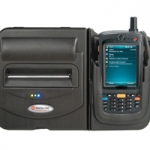
The PrintPAD integrated printing systems offer mobile workers the convenience of a portable thermal printer and mobile computer united in a compact and ergonomic, rugged and reliable unit. It’s designed for use with a variety of Motorola®, Intermec, and Honeywell™ mobile computers.
View Product
Zebra KR203 Kiosk Receipt Printer
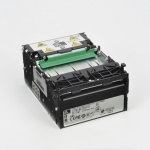
An affordable, host-based kiosk printer for 3-inch-wide receipts, Zebra’s compact KR203™ printer delivers unparalleled value and reliability for a variety of self-service applications. The KR203 draws upon the kiosk PC’s processing power and memory resources instead of its own, making it a highly cost-effective choice for customers who need a high-quality kiosk printer at the lowest total cost of ownership.
View ProductWeber 5300 – Label printer and dispenser
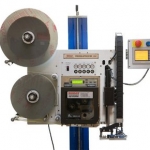
The new Legi-Air 5300 is a modular Label printer and dispenser distinguished by its extremely versatile applications and a very high operating run time. In addition, the system offers a high degree of operator-friendliness: the operator is supported in his work by several functions such as service interval or operating condition display.
View ProductSpecial labels
Special labels by Weber Marking Systems meet the most diverse of requirements and have numerous specialized features, depending on their purpose.
View Product






