

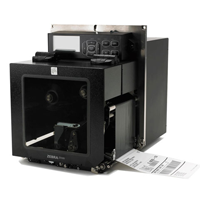
ZE500R RFID PRINT ENGINE
Performance leaders in mission-critical RFID printing applications, these reliable print engines with RFID technology empower you with an integrated solution for identifying packages, cases and pallets. The ZE500R embeds a fully integrated ThingMagic RFID Reader/Encoder and supports the ability to print and encode short pitch item level tags, chip based serialization and block permalocking of user memory.
Industry
Manufacturing
 Consumer Goods
Transportation & Logistics
Used For:
- High-Volume Applications
- Package, Case, and Pallet Identification
- Supply Chain Management
- Order Labeling
Adobe Reader is required to open and view PDF files. This can be downloaded free from adobe.com.
Available Documents
ZE500R BrochureZebra DS4800 Series Scanner
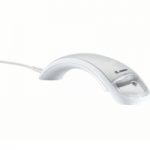
In today’s highly competitive retail market, improving your customers’ experience is a must. To differentiate yourself and keep shoppers
coming back, you not only need fast, smooth checkouts, you need an aesthetically pleasing store environment that reinforces your brand.
Yet, the POS, the most common point of interaction between customers and sales associates, is often overlooked. Current scanner technology does not enhance the checkout experience or integrate your brand into the process. But Zebra’s DS4800 Series changes that.
QUICKCARD PROFESSIONAL PHOTO ID KITS
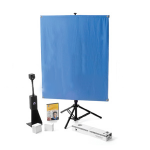
All-in-one photo ID systems help you create professional-quality ID, security and commerce-related cards simply and easily. Perfect for organisations of any size.
View ProductEasyGo! Asset Tracking Pro
Summary
Manage all the active assets at your Enterprise. You’ll know the properties associated to all your assets with a single identifier so you’ll be able to track all the items in your warehouse/office and store the GPS coordinates. Check and change asset status. Send details back to the server to update your database and record a history of changing properties.
View Product
Zebra 170Xi4
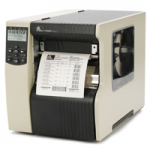
Increase productivity and print high-volume, wide labels on demand or in batch with unmatched performance ideal for compliance, product identification and pallet labeling. Standard Features Print methods: Thermal transfer or direct thermal Construction: 12-gauge steel frame Single 32 bit More Standard Features 16 MB SD RAM; 8 MB non-volatile Flash memory Automatic media/ribbon […]
View Product






