

Weber LA2050 – Compact Entry Level Print & Apply
The compact and low-cost LA2050 label print and apply system is designed for automated print and apply processes on a production line. It can also be used in semi-automatic mode where automatic label application is not required with the system being used as a label print and dispense system, with the label applicator system being initiated manually by the operator.
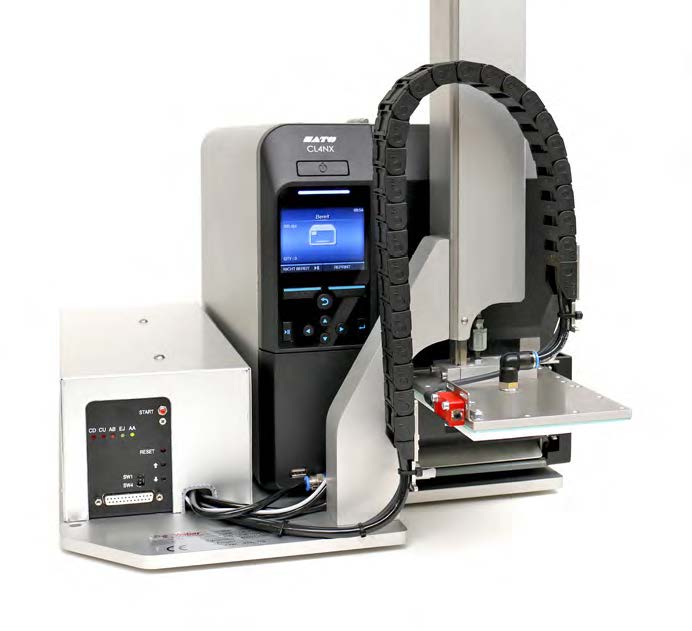
The compact and low-cost LA2050 label print and apply system is designed for automation on the production line. The LA2050 also provides a semi-automatic mode where automatic label application is not required with the system being used as a label print and dispense system, with the label applicator system being initiated manually by the operator.
Utilising the award winning features of the Sato CLNX4, the LA2050 label applicator works with many programming languages such as ZPL, DPL, IPL, and TPL without having to change any settings. Operatives can easily diagnose printer errors with the messaging system on the printer panel.
The user can correct the error with a video shown on the printer display. The LA2050 can print labels from 40 x 30mm up to labels in DIN A6 format and bigger and apply them to their precise position. The LA2050 can apply 25 labels per minute. Also, the application can achieve a label format of 80 x 60 mm without any problems. The LA2050 can also achieve higher dispenser speeds, depending on the label material, format, and application.
This automatic label applicator can reach maximum performance. The robust applicator has a small compact footprint and a highly efficient low energy tamp blow applicator for non-contact labelling. A variable stroke provides for automatic labelling of products of varying heights.
Label Parameters
The LA2050 is a compact reliable work horse. The robust applicator with Festo pneumatics and recirculating ball bearing system provides a durable composite design and guarantees labelling accuracy. A 218mm diameter label roll allows the LA2050 to exceed the performance of similar competitive systems. The LA2050 can save up to 20% in operator intervention thanks to the reduced need for label roll changes.
The print ribbon length of 600 meters ensures that the labeller can perform continuous label printing over longer periods of time. Users can change the ribbon or labels quickly and easily. They can do this thanks to the modular design and ease of access to the printer mechanism.
Adobe Reader is required to open and view PDF files. This can be downloaded free from adobe.com.
Available Documents
Weber LA2050 BrochureTouch-Screen Label Print Station
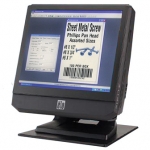
Weber’s Elo Touch-Screen Print Station provides a compact, simple solution to selecting various label formats and then printing them using Weber label printer-applicators or tabletop label printers in virtually any production environment.
The Print Station is a stand-alone computer that allows you to set-up a control station for your labelling system that features a user-friendly touch-screen for easy operation by your personnel.
View ProductRFID Smart Labels
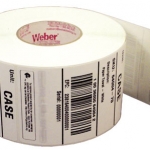
Weber is applying its expertise as a leading manufacturer and supplier of pressure-sensitive labels to provide the finest in RFID smart labels. Our innovative method of inserting the RFID inlays fits seamlessly within our label conversion process. And because we manufacture the RFID smart labels ourselves, we’re able to offer RFID media that will maximize performance and minimize costs.
View ProductZD420 Ribbon Cartridge Printer – Healthcare Model
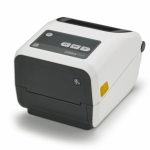
Fast 4-inch thermal printers that are easy to use, easy to deploy and easy to manage, then choose the ZD420. Daily operation couldn’t be simpler, thanks to a new ribbon cartridge with more status icons
View ProductZebra GK420
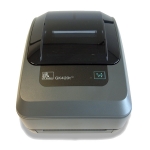
Zebra’s GK™ Series and GT800 desktop printers combine dependable printing with fast print speeds and network manageability. With their easy-to-use design, Zebra’s advanced desktop printers enable you to improve operational efficiencies.
View Product






