

Touch-Screen Label Print Station
Weber’s Elo Touch-Screen Print Station provides a compact, simple solution to selecting various label formats and then printing them using Weber label printer-applicators or tabletop label printers in virtually any production environment.
The Print Station is a stand-alone computer that allows you to set-up a control station for your labelling system that features a user-friendly touch-screen for easy operation by your personnel.
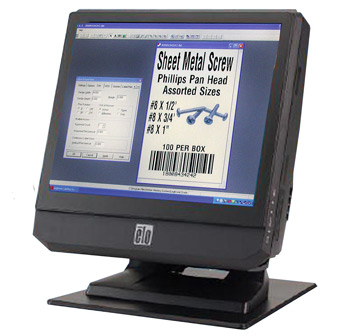
Touch-Screen Print Station

The 15″ LCD print station comes preloaded with Weber’s exclusive Legitronic® Labelling Software, a user- friendly package that makes it easy to format labels with alphanumeric text, bar codes and graphic images. In addition, the unit includes custom front-end software that permits operators to use the touch-screen to choose and print those formats.
The Legitronic software program works in the background, enabling the operator to see a simple front-end screen to select a specific label format, choose a printing system, and pick the quantity of labels to be printed. Variable data – if required – can be entered into a label format by using an on-screen keyboard.
Weber’s touch-screen print station has a compact design with a choice of configuration and connectivity options. This quiet, fan less unit also is easy to service.

Features
- Small footprint, 15″ LCD touch-screen print station
•Weber software is pre-installed
• Fan less operation for quiet environments
• Full range of standard connectivity ports
• Stable stand with tilt able display
Adobe Reader is required to open and view PDF files. This can be downloaded free from adobe.com.
Available Documents
touch-screen-print-station- Small Footprint
- Lightweight
- Compatible with PDA
- 2-Colour Printing
- Wireless Connectivity
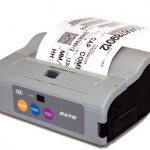
Sato MB4i Printer
FEATURES
EasyGo! ProductCheckPro
Summary
Manage your stock by checking the properties of your products and verifying they are correct. Alert, by incidents, the failures of the products checked. Send the incident report to the server to solve it or to have a movement report. Finally, print product related labels from your handheld device via cable, WiFi or Bluetooth.
View ProductPerformance Series
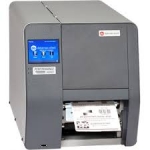
The Datamax-O’Neil p1120n Near Edge Performance Printer offers a unique near-edge printhead that allows full use of the label giving customers the ability to design and code barcodes that support detailed information. The flexible multimedia printing allows labels to be printed on synthetics, tags, self-adhesives and plastics. The near-edge printhead gives users the ability to integrate barcode printing across a wide variety of applications. The p1120n also offers auto-loading capabilities, a user-friendly touchscreen, and uses industry standard PCL printer language making it easy to integrate.
View ProductZE500R RFID PRINT ENGINE
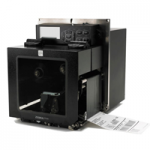
Performance leaders in mission-critical RFID printing applications, these reliable print engines with RFID technology empower you with an integrated solution for identifying packages, cases and pallets. The ZE500R embeds a fully integrated ThingMagic RFID Reader/Encoder and supports the ability to print and encode short pitch item level tags, chip based serialization and block permalocking of user memory.
View Product






