
TC8000 Touch Computer
A revolutionary design delivers revolutionary productivity gains…one more hour, per worker, per shift.
Businesses looking for the next innovation in warehouse mobility to boost warehouse productivity, have just found it: the rugged TC8000. What makes the TC8000 so special? Everything
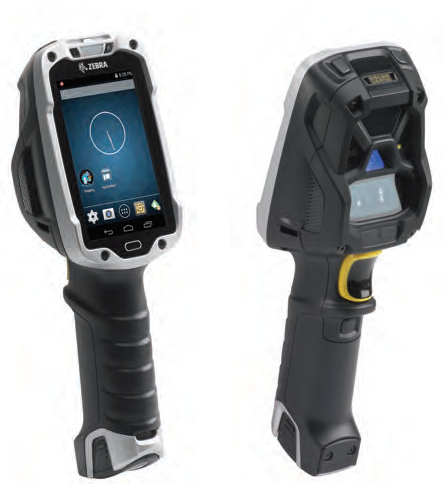
Superior ergonomics for superior productivity and worker comfort
The new scan angle eliminates the constant tilting that traditional designs required to view the screen, increasing productivity by 14%* by reducing wrist motion by 55% and muscle effort by 15%.
* Results are dependent upon use case and scan frequency.
Enterprise-class Android KitKat
Mobility Extensions (Mx) transforms Android™ to an enterprise-class OS, providing enterprise-class security, device management and data capture capabilities.
Rugged and ready for the warehouse
The super-rugged design is built for the challenging warehouse environment. With Zebra’s most extreme impact ratings, the TC8000 operates reliably, even after 2,000 consecutive hits when tumbling and multiple 8 ft./2.4 m drops to concrete. The TC8000 is sealed, ready to handle jetting water and dust. The TC8000 is built to handle constant temperature swings between extreme heat and cold—ideal in outside yards.
An industry first: hands-free proximity scanning with a handheld device
The device can be automatically triggered by the proximity sensor, whether the TC8000 is worn in the hip holster, on the shoulder strap, in the cart mount or desktop mount. Two modes are available: near, for close-up scanning from near contact to 6 in./15 cm; and far, from contact to 1.96 ft./60 cm.
Advanced bar code scanning options
Zebra’s SE4750 imager with proprietary PRZM Intelligent Imaging technology offers unparalleled performance on just about any type of data imaginable—from 1D and 2D bar codes to fully searchable and editable documents. The SE965 engine provides best-in-class 1D scanning performance with patented Adaptive Scanning technology that delivers the widest working range in its class. All options capture bar codes in practically any condition.
Transform “green screens” to elegant all-touch screens with no host modification or coding
All-touch Terminal Emulation gives the front end of Terminal Emulation apps a smart and intuitive touch interface, automatically—and legacy TE green screens are always available to workers at the press of button.
Adobe Reader is required to open and view PDF files. This can be downloaded free from adobe.com.
Available Documents
TC8000_SSSYMBOL CS4070-HC COMPANION SCANNER
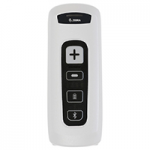
Barcode scanning at patient bedside is crucial in preventing deadly errors in medication administration and specimen collection. Now, you can put wireless enterprise-class barcode capture in the hands of every nurse and lab technician with the disinfectant-ready CS4070-HC. Small enough to be carried at all times, it can be tucked in a pocket or worn on a lanyard. One press of the dedicated pairing button instantly connects the CS4070-HC to Bluetooth-enabled in-room computers, workstations-on-wheels (WOWs), tablets and more. And with superior scanning technology, healthcare workers can instant capture virtually any barcode, in any condition —1-D or 2-D, electronic or printed.
View ProductApex2
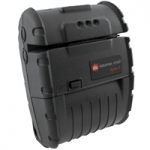
The Apex 2 is designed especially for those transaction applications where small size, fast printing and dependability while staying in budget are vital. The 7-Arm, 32 bit processor keeps pace with the printers that cost almost twice as much without compromising on features and functions. Delivering the key features and communication methods, the Apex 2 has the flexibility to meet the unique, industry-specific receipt printing and ease of use required to keep up with the mobile worker’s long and demanding shift.
View ProductZebra GK420
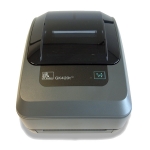
Zebra’s GK™ Series and GT800 desktop printers combine dependable printing with fast print speeds and network manageability. With their easy-to-use design, Zebra’s advanced desktop printers enable you to improve operational efficiencies.
View ProductWorking Apps’ Tray Trace
Summary
Tray Trace is the effective answer to the management of re-useable containers. With the use of unique identifiers for each tray, container, roll cage, IBC, transit tank, barrel, gas bottle, potato box or pallet means these can be scanned on delivery, collection and at base to provide an accurate record of the container’s use and current location. Re-usable containers are environmentally friendly if re-used; where are they going to, and who is losing and not re-using costs a business both monetarily but also in loss of resources. Further Tray Trace lets you record the condition of the container, its temperature and free text as an option.
View ProductTC8000 Touch Computer
A revolutionary design delivers revolutionary productivity gains…one more hour, per worker, per shift.
Businesses looking for the next innovation in warehouse mobility to boost warehouse productivity, have just found it: the rugged TC8000. What makes the TC8000 so special? Everything
Superior ergonomics for superior productivity and worker comfort
The new scan angle eliminates the constant tilting that traditional designs required to view the screen, increasing productivity by 14%* by reducing wrist motion by 55% and muscle effort by 15%.
* Results are dependent upon use case and scan frequency.
Enterprise-class Android KitKat
Mobility Extensions (Mx) transforms Android™ to an enterprise-class OS, providing enterprise-class security, device management and data capture capabilities.
Rugged and ready for the warehouse
The super-rugged design is built for the challenging warehouse environment. With Zebra’s most extreme impact ratings, the TC8000 operates reliably, even after 2,000 consecutive hits when tumbling and multiple 8 ft./2.4 m drops to concrete. The TC8000 is sealed, ready to handle jetting water and dust. The TC8000 is built to handle constant temperature swings between extreme heat and cold—ideal in outside yards.
An industry first: hands-free proximity scanning with a handheld device
The device can be automatically triggered by the proximity sensor, whether the TC8000 is worn in the hip holster, on the shoulder strap, in the cart mount or desktop mount. Two modes are available: near, for close-up scanning from near contact to 6 in./15 cm; and far, from contact to 1.96 ft./60 cm.
Advanced bar code scanning options
Zebra’s SE4750 imager with proprietary PRZM Intelligent Imaging technology offers unparalleled performance on just about any type of data imaginable—from 1D and 2D bar codes to fully searchable and editable documents. The SE965 engine provides best-in-class 1D scanning performance with patented Adaptive Scanning technology that delivers the widest working range in its class. All options capture bar codes in practically any condition.
Transform “green screens” to elegant all-touch screens with no host modification or coding
All-touch Terminal Emulation gives the front end of Terminal Emulation apps a smart and intuitive touch interface, automatically—and legacy TE green screens are always available to workers at the press of button.
Adobe Reader is required to open and view PDF files. This can be downloaded free from adobe.com.
Available Documents
From the Craft to the Cure!Epson ColourWorks™ C3500 Inkjet Colour Label Printer
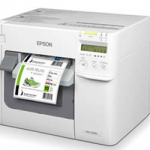
The perfect colour printer for GHS and medical device labels.
Now you can dramatically reduce colour label costs, increase operational efficiencies and quickly produce high-quality colour labels with Just in Time ColourTM printing on Epson’s high-speed ColourWorks C3500 Inkjet Label Printer. This compact inkjet printer is perfect for in-house on-demand printing of small GHS chemical labels, short run food labels, medical device labelling and more.
View ProductZD500 Thermal Transfer Desktop Printer
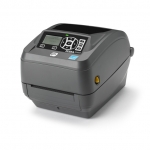
Offering high-resolution print quality and quadruple connectivity options, the ZD500 is compact and feature-packed for top performance.
View ProductZebra GX430
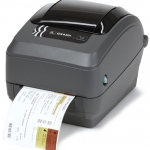
Zebra GX430 Desktop Printer
The best-in-class enhanced GX430t thermal transfer printer offers the widest range of features, 4 inches per second print speed and 300 dpi resolution to meet all your low- to medium-volume printing requirements.
View ProductServices
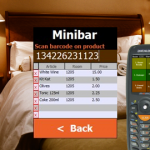
Hotel Cleaning Software Hotel Cleaning gets information to the reception faster. The mobile devices connect to the hotels Wi-Fi and sends data directly to the reception. The cleaner can report: When a room is ready for the next guest, scan barcodes on consumed minibar items, damage in the room, missing items (bathrobes, towels, remote control…), […]
View Product