

Solicom ClockInOut
Summary
Solicom ClockInOut is an easy to use application, with just a single screen showing the current time and after scanning a badge, a welcome or goodbye message is shown for the person just scanned. Badges that are allowed for entrance can be put in a lookup table. All badges scanned are saved in a report table. Via a supervisor menu, activated by a configurable special badge number, the download and upload of both tables can be controlled.
Description
Solicom ClockInOut is an easy to use application to clock in or out persons that arrive or leave at a location. Identification is done by barcode e.g. on a badge and persons are validated from a list that is downloaded into the application at start. A report is produced on every arrival or departure of an individual, where the badge number is combined with status and timestamp. Exchange of information is maintained via an administrator menu and can be scheduled. The application is specially created for Motorola Micro kiosk MK590. Via settings the actual behaviour of the application can be fine tuned.
Solicom ClockInOut can be used in different situations :
- Registering working hours for employees
- Checking presence of individuals at a location
- Validation for access to a premises
Languages
- English
- French
- Dutch
- German
- Portuguese


Adobe Reader is required to open and view PDF files. This can be downloaded free from adobe.com.
Available Documents
ALGIZ 7
SUPER RUGGED, ULTRA-MOBILE
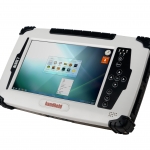
The Algiz 7® represents the next generation of mobile PC performance. This rugged tablet PC is small, light and fast, with multiple connectivity options and a wide range of functionality. If you work with detailed maps or other visuals and need a larger display than a handheld, or if you need full Windows PC functionality, this Algiz tablet’s 7-inch screen and Windows 7 platform make it a great solution. And it’s tough enough to work in the most challenging environments.
View ProductXC Label Printer
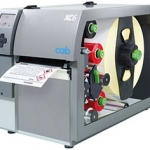
The layout of the labels is created either using label software or through direct programming via a text editor on the PC. Label formats, fonts and graphic data, serial data and database contents are saved or imported on the CF memory card, USB flash drive or the internal IFFS printer memory. Only variable data is sent to the printer via keyboard or host computer before being printed out. Data from a barcode scanner or a balance can also be received by the printer.
View ProductEasyGo! POS
Summary
Improve the shopping experience of your customer with EasyGo! POS. Your customer will use a mobile device while shopping and scan the products on the fly. Once your customer is at the cash register, the shopping list will already be in your POS system. Just do a final review and charge your customer. Easy and fast!
View ProductDS3608-DP/DS3678-DP 1D/2D
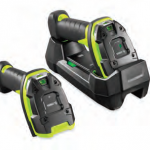
Unstoppable Performance for 1D/2D Direct Part Marks (DPM) and Bar Codes
As a member of the Zebra 3600 Ultra-Rugged Series of scanners, the practically indestructible 1D/2D DS3608-DP corded and DS3678-DP cordless scanner brings the dependable lightning-fast capture of virtually every direct part mark to aerospace, automotive and other manufacturing plants where end-to-end traceability of every product component is required.
View Product






