

SATO TG3 | Retail Tag & Label Printer
This series of retail SATO printers include a heavy duty print mechanism and cutter assembly which carries on the tradition of durability and performance of SATO solutions.
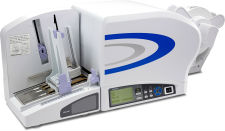
TG308 | TG312 – SATO’s new specialty series of printers
This series of retail SATO printers include a heavy duty print mechanism and cutter assembly which carries on the tradition of durability and performance of SATO solutions. With its industrial chassis and high performance processing, it tackles even the most demanding print jobs with supreme ease. Tags and labels automatically load with a touch of a single button, while sensors automatically calibrate gap or reflective markings ensuring proper print registration.
| Print Method: | Direct or Thermal Transfer |
| Print Resolution: | 203 or 305 dpi |
| Print Width: | 3.1″ |
| Media Width: | 0.9″ to 3.1″ (label) 0.9”-3.3” (tag) |
| Print Speed: (max.) | 10 ips |
|
Accessories
Applications
Industries
|


Adobe Reader is required to open and view PDF files. This can be downloaded free from adobe.com.
Available Documents
TG3 Data SheetZebra FX7500 RFID Reader
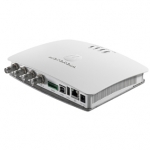
The FX7500 Fixed RFID Reader introduces advanced Zebra Solutions-designed RFID radio technology for faster, more accurate read rates and more consistent performance even in challenging environments. The new radio is paired with a more flexible Linux-based network architecture that integrates the tools and open-standard interfaces needed for fast, easy deployment with RFID and back-end applications. The result is a fixed RFID reader that sets a new performance standard — delivering peak performance at all times with excellent reader sensitivity and better interference rejection, at a lower cost per read point.
View ProductLegitronic® Labeling Software
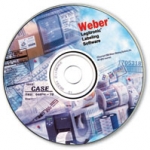
Weber’s proprietary Legitronic Labelling Software provides the versatile label design, printing and RFID encoding features that are required to meet today’s labelling requirements. The software is easy to use yet robust enough for industrial applications that need to use large databases.
As the cornerstone of our complete labelling systems, it is fully compatible with our extensive line of labelling equipment as well as most Zebra, Datamax and SATO label printers and print engines. An FDA compliance version also is available.
View ProductRFID-Ready Label Printers and Label Printer-Applicators
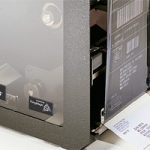
Lock in investment and asset protection with Weber’s Zebra-brand RFID-ready printers and print engines.
RFID-ready products from Weber allow companies to invest in the bar code printers and printer-applicators they need now while providing a migration path to the RFID technology that they will need in the future.
View ProductWeber LA 6000 Labelling System
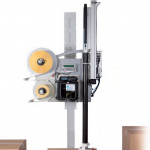
High Performance Labelling System for Warehouse & Logistics
Modularity, High Performance necessary for Warehouse and Logistics System Solutions
View Product






