

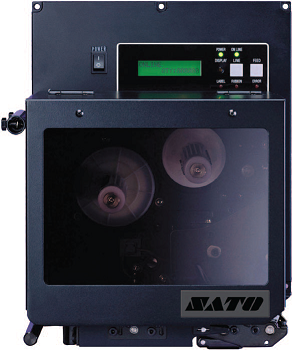
Sato M84Se Printer
FEATURES
- Print speed up to 305 mm per second
- Left or right handed available
- Robust industrial design
- Easy Connectivity
- Especially for Print & Apply designed systems
- RFID ready!
APPLICATIONS
- Production
- Food bottling
- Sales warehouse
- Transport
- Postal services
Adobe Reader is required to open and view PDF files. This can be downloaded free from adobe.com.
Available Documents
S84-ex SERIES
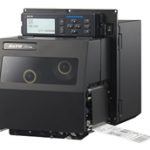
The S84-ex and S86-ex offer significant industry advancements in quality imaging, exceptional throughput, and incomparably easy operation, setup and maintenance. The new generation of SATO print engines delivers flexibility and convenience, providing customers with numerous interfaces as well as tool-less maintenance, and optional wireless LAN and Bluetooth allow for even greater connectivity in continuously changing […]
View ProductBottle-Matic Label Applicator
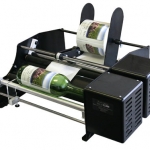
This table top labelling system is deal for applying single pressure-sensitive labels to cylindrical objects like bottles and cans. These are perfect for small craft brewery or vineyard labelling applications.
The Bottle-Matic label applicators are available in 10″-wide and 16″-wide models that fit most products. The unit is fully adjustable so you can label objects from 0.5″ to 10″ diameter; ideal for everything from test tubes to 1.5-gallon bottles.
View ProductDatalogic Magellan 1100i
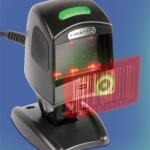
The Magellan 1100i omnidirectional presentation scanner is a high performing and versatile data collection tool for a variety of applications. The Magellan 1100i uses Datalogic’s latest digital imaging technology to provide intuitive and fast reading performance on 1D and 2D barcodes as well as supporting advanced features like image capture and EAS tag deactivation.
Datalogic is proud of The Magellan’s revolutionary External Read Indicator (ERI) which allows the Magellan 1100i reader to integrate with RFID or EAS systems. Making the Magellan a future proof solution!
View ProductZebra ZD410 HC
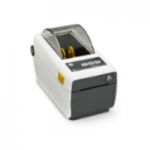
The ZD410 healthcare model offers all of the features of the standard model plus disinfectant ready plastics and an IEC 60601-1 compliant power supply. Designed for hospital, clinic, laboratory and pharmacy applications, the direct thermal ZD410 helps to protect privacy by leaving no record on a ribbon of what has been printed. The optional 300 dpi print resolution is ideal for printing small labels. The ZD410 healthcare model is currently available for purchase only in North America and the European Union countries. It will be launched in other countries throughout 2016.
View Product






