

SATO CT4 Series
At the core of the CT4i printers is a new generation ultra high speed processor.
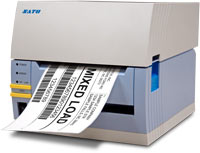
CT408i | CT412i | CT424i
With high data transfer rates and processing speed the CT4i printers will print continuously, without pausing between labels, even with changes in data and graphics on every label. An important added feature of the CT4i Series printers is the Windows® driver which allows the creation of labels using virtually any Windows® based program
| Print Method: | Direct or Thermal Transfer |
| Print Resolution: | 203 or 305 or 609 dpi |
| Print Width: | 4.1″ |
| Media Width: | 1.1″ to 4.65″ |
| Memory: | 16MB SRAM/4MB Flash |
| Print Speed: (max.) | 6 ips (CT408i) 4 ips (CT412i) 3 ips (CT424i) |
Accessories
|
|
|
Applications
|
|
|
Industries
 Aerospace |
 Education & Libraries |
 Healthcare |
 Travel & Leisure |
 Utilities |
 Wholesale |
Adobe Reader is required to open and view PDF files. This can be downloaded free from adobe.com.
Available Documents
CT4 Data Sheet ENMarkoprint Integra PP RAZR
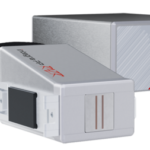
Experience Effortless High-Resolution Printing: Introducing the Integra PP RAZR with Cutting-Edge Technology. Print Up to 34mm High on Virtually Any Product Surface with Ease. Be Amazed by the Permanent Print Head’s Impressive Resolution, Lightning-Fast Speed, and Integrated Redundancy. Plus, its Compact Design Ensures Seamless Placement in Any Production Facility.
View ProductZD500R RFID Printers
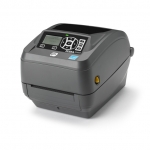
Zebra ZD500R UHF RFID Printer Advanced features in a compact, easy-to-use device. The ZD500R extends Zebra’s broad range of RFID printers by adding UHF RFID printing and encoding to Zebra’s line of industry-leading thermal desk top printers. Designed for applications where space is at a premium, the compact ZD500R offers simple, one-touch printing and encoding, straightforward loading, and automatic RFID calibration, making it ideal for applications where technical support staff is not available, such as retail in-store exception tagging.
View ProductProduce Labels
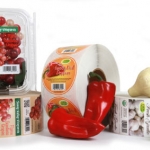
Produce labels come in all shapes and sizes. And some need special required information fields, QR codes, bar codes, traceability information and more.Let Weber help you get the most from your label by using the right materials that will match your requirements plus give you a label that will attract more buyers to your fresh produce.
Take a look at some of the labels we have made and see what we can do. Contact us for more information or help meeting your label requirements.
ZD420 RIBBON CARTRIDGE DESKTOP THERMAL PRINTERS
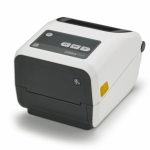
Fast 4-inch thermal printers that are easy to use, easy to deploy and easy to manage, then choose the ZD420. Daily operation couldn’t be simpler, thanks to a new ribbon cartridge with more status icons
View Product






