

RFID-Ready Label Printers and Label Printer-Applicators
Lock in investment and asset protection with Weber’s Zebra-brand RFID-ready printers and print engines.
RFID-ready products from Weber allow companies to invest in the bar code printers and printer-applicators they need now while providing a migration path to the RFID technology that they will need in the future.
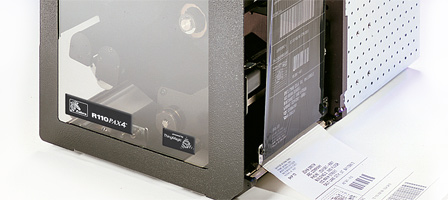
RFID-Ready Label Printers & Label Printer-Applicators
RFID Ready models are modified for easy upgrade to a multi-protocol reader/encoder that supports EPC-compatible and other ultra-high-frequency (UHF) standards. The reader/encoder supports the RFID protocols that are most current at the time of installation and can be Flash-upgradeable to support future protocols.
RFID Ready products allow companies that are still in the RFID discovery process to ensure that they have the right technology to support their implementations even as their requirements change.
With Weber’s RFID Ready products from Zebra, companies can:
• Protect investments in the bar code printers and printer-applicators they need now, while having a migration path to the RFID technology they will need in the future.
• Take advantage of proven systems that provide all the rugged reliability they’ve come to expect from Zebra platforms.
 RFID Ready
High-performance RFID Ready printers have been designed for case and pallet-level identification for companies needing to streamline logistics and supply chain management as well as other applications including:
• Asset tracking
• Inventory management
• Work in process
• Shipping/Receiving
• Distribution
RFID Ready models can be upgraded as needed with a fully integrated reader/encoder for transponder types:
• EPC Class 1
• EPC Class 0
• Matrics’ 0+
• ISO 18000-06B
• EPC Gen2
Adobe Reader is required to open and view PDF files. This can be downloaded free from adobe.com.
Available Documents
RWG500 – Label Rewinder
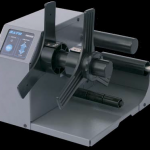
RWG500 – Label Rewinder
This Label Rewinder is ideal for batch printing applications and accommodates label rolls up to 5″ wide (optional 7″ extension available) with roll O.D. of up to 8″. It can be self-powered with an optional external power module.
Weber LA4050I – Industrial Printer Applicator
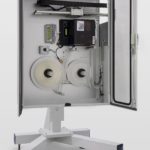
Based on a modular construction the Weber LA4050I is the Industrial version of our proven Weber LA4040E Standalone Labelling System. The system has all the features and benefits of the 4050E, capable of numerous methods to print and apply a label. The design comprises a feeder module, a printing module, label winder and unwinder with numerous applicator types. The standard Tamp-Blow system has a quick-change system for changing the tamp pad which significantly reduces the changeover time to other label formats. The entire system is encased in an Industrial Cabinet suitable for harsh Production or Warehouse environments.
View ProductNAUTIZ X3
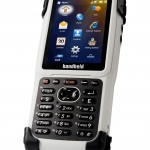
POCKET SIZED POWERHOUSE
It’s not one thing that makes the Nautiz X3® a breakthrough in handheld technology – it’s the unbeatable combination of small size, big performance, extreme ruggedness and remarkable value. The Nautiz X3 is like nothing else on the market.
View ProductMarkoprint Integra One ip LX
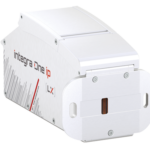
Unleash the Power of Proven Washdown Technology (IP Protection) for Seamless Performance in Complex and Demanding Applications. Experience High-Speed Printing and Effortless Operation with Up to 10 mm Print Distance. Discover Impressive Innovations, including a Patented Mechanism for Secure Ink/Printhead Unit Hold, Setting a New Standard in Printing Excellence.
View Product






