

Print, Code & Apply Flag Tag
The label applicator LA 5200 RFID is a true all-rounder, providing an all-in-one solution. The “Print, Code & Apply Flag Tag” process involves the automatic writing, printing and application of tags.
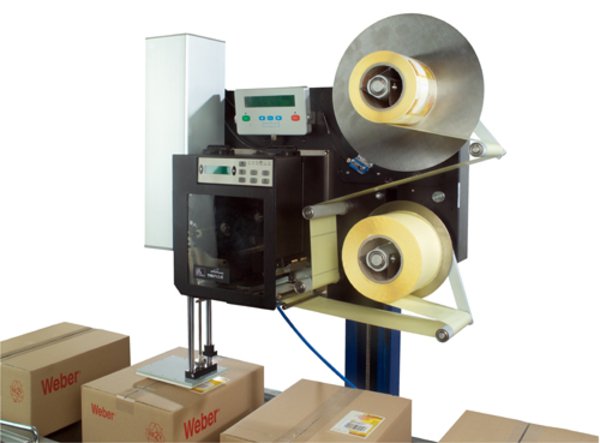
Depending on application requirements, label formats from 20 x 5 mm to 180 x 350 mm can be processed, with up to 210 labels being dispensed per minute. The process may also include the optional “Bad Tag Reject” unit, to ensure that only error-free tags are applied.
An “Auto Flag Tag” dispenser is also available for the LA 5200 RFID, to help achieve satisfactory performance when handling surfaces and products that are not optimally suited for RFID tagging because of their physical characteristics. The portion of the label that holds the RFID tag is automatically folded by the dispenser before application and is thus raised slightly above the surface.
Adobe Reader is required to open and view PDF files. This can be downloaded free from adobe.com.
Available Documents
SATO CG Series
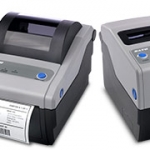
With superior performance and affordable price, these 2″ or 4″, 203 or 305 dpi, Direct Thermal/Thermal Transfer printers are best in their class. The SATO CG Series models are delivered stock out of the box with competitive emulations onboard and optimal interfaces (built in USB standard) for outstanding performance in clinical and processing environments. […]
View ProductSymbol DS7708 Scanner
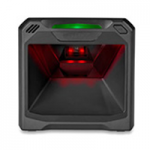
Easy to Deploy, High-Performance, “Can’t Miss” On-Counter Scanning
When it comes to on-counter scanning, the DS7708 scanner offers a feature set that puts it at the top of its class for performance, ease of use, easy deployment and total cost of ownership. With a large field of view that is over 50 percent larger than the competition, the DS7708 easily captures bar codes regardless of where they are located on an item. No matter what type of bar codes appear at the POS, the DS7708 can scan them all: 1D, 2D, printed and electronic.
View ProductZebra DS457 SERIES Scanner
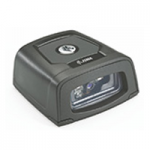
Enable high-volume hands-free scanning from the retail POS and airport boarding gate to the manufacturing production line with the Zebra DS457. With comprehensive data capture, your workers can scan virtually any bar code — including 1D, 2D and direct part marks. No matter what type of bar code is presented, or whether it is printed on a paper label, etched into a product or displayed on a mobile phone screen, breakthrough digital imaging technology delivers extraordinary scanning speed. The tiny footprint fits in the most space constrained areas. Workers can choose presentation or trigger-activated mode, providing the flexibility for a wide variety of applications. And while the DS457 can be integrated into a wide variety of products, its sleek design is just as at home
View ProductTrident
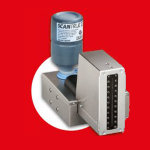
Trident is perfect for text, barcode and graphic marking on absorbent and smooth surfaces.It is easy to use, highly reliable and can reach printing speeds up to 60 meters per minute.
Click on the Direct Sales Button, and contact us today to order your Trident inkjet thermal inks.
View Product






