

Legi-Air 4050 Pallet Label Applicator
The Legi-Air 4050P for continuous pallet labelling.
The system offers numerous advantages with respect to speed, reliability, scope of application, size and serviceability.
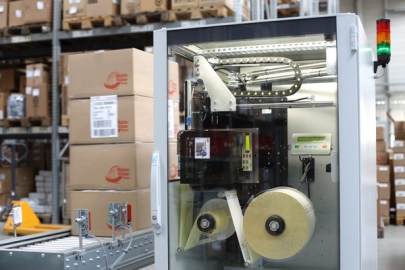
Bluhm Systems presents a new modularly constructed pallet labeller, the Legi-Air 4050 P, for continuous pallet labelling.
The new Legi-Air 4050 P enables labelling of two adjacent sides of a pallet. Depending on application, throughput of up to 7 pallets presents no problem. Directly before dispensing, variable data such as weights or barcodes are printed on the labels, cleanly and legibly. An optionally integrated scanning system allows you to check the legibility of the labels while they are printed.
Adobe Reader is required to open and view PDF files. This can be downloaded free from adobe.com.
Available Documents
LegiAir4050P_uk- Large LCD display
- 203, 305 and 609 dpi
- Up to 104mm print width
- 1,000m ribbon capacity
- Heavy duty industrial design
- Ribbon saver function
- Optional quick change ribbon cassette
- 16 ips print speed
- Easy maintenance
- RFID Ready
ALGIZ XRW
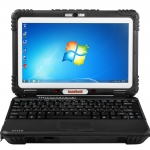
THE ONE AND ONLY
The Algiz XRW® represents a revolutionary step in mobile computing. This ultra-rugged notebook combines unprecedented performance in the field with a slim, lightweight and compact design which is unique to the market.
View ProductSato S84 Series OEM Print Engine
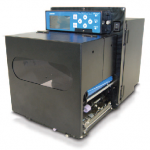
FEATURES
Weber Alpha HSM Label Applicator
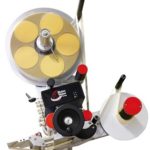
The Alpha HSM (High Speed Modular) is our new modular compact Labelling System designed with versatility in mind.
View ProductZEBRA ZT400 Series Printers
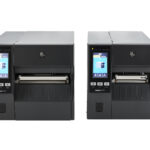
ZT400 printers feature USB, Serial, Ethernet and Bluetooth® connectivity along with expanded RFID capabilities. Plus, with Zebra’s Link-OS® environment, an innovative operating system, your customer can easily integrate, manage and maintain these printers from anywhere in the world.
View Product






