

Medical Device Labels
High standards and dedicated inspection for quality assurance. Medical device labels require strict quality control during every step of the manufacturing process. On-press and post-press video inspection guarantees finished labels that meet your requirements.
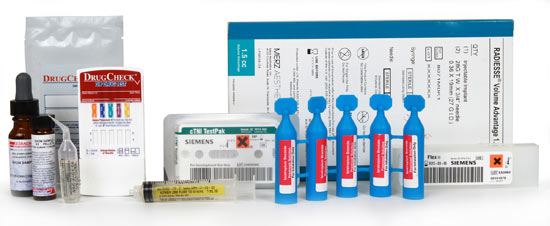
Weber has complex die and adhesive zone coating capabilities to permit one-step labeling for product kit combinations. And our on-press, code dating and messaging using laser etch or UV inkjet allows the addition of variable data during printing. Sequential back-of-liner numbering aids your lets you keep your inventory under control.
Medical Device Label Tips
Materials:
- Use adhesives and topcoats that are compatible with your sterilization process.
- Provide more information to your end users by adding expanded text and multi-ply label constructions that can handle the demand for increased text area on the label.
Artwork:
- Add a laminate or spot varnish to areas of your label to highlight specific features or allow variable thermal-transfer printing.
- Custom die cuts and layering lets you add individual peel-able bar codes for record-keeping.
Adobe Reader is required to open and view PDF files. This can be downloaded free from adobe.com.
Available Documents
- Label and Wristband Printing
- High Speed Printing
- Printing Resolution of 203 / 305 / 609 dpi
- Anti-microbial Casing
- Small, Compact, High
- Throughput Design
- Easy Media Loading and Maintenance
- Wireless Connectivity
- RFID Ready
Blank labels
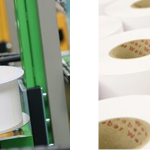
Purchasing Weber Self Adhesive Labels and Tags provides you with access to a large selection of quality, pre-tested, stock and custom supplies manufactured by a Global Industry Expert
View ProductWeber 5300 – Label printer and dispenser
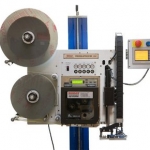
The new Legi-Air 5300 is a modular Label printer and dispenser distinguished by its extremely versatile applications and a very high operating run time. In addition, the system offers a high degree of operator-friendliness: the operator is supported in his work by several functions such as service interval or operating condition display.
View ProductSato CT4i Compact and Versatile Printer
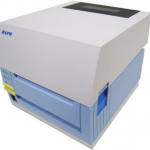
FEATURES
MC67 Mobile Computer
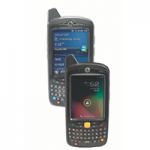
Give your field workforce customers the tools they to work faster and smarter than ever before with the MC67
What can your customers accomplish with the MC67? Everything they need to get the job done. Your customers can choose the operating system that best supports their mobility strategy — Windows® Embedded Handheld 6.5 or Android™ Jelly Bean (4.1) — to instantly access the wealth of information in their business systems to increase task efficiency and accuracy. This fully-featured powerhouse of a device lets workers access information in the backend system; scan practically any bar code in almost any condition; capture documents to simplify recordkeeping; take and send video and photos for real-time repair support; and call a customer with an arrival window — all at 4G HSPA+ speed.
View Product






