

IT1000 Universal Weighing Terminal
Suitable for difficult environmental conditions and locations with high hygienic standards, as in the food, pharmaceutical and chemical industry. With mounting brackets for desktop or wall-mount installation.Integrated power supply unit, sealed cable glands for all cable connections.
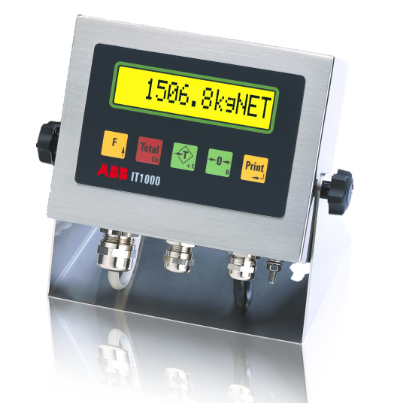
Universal use
Suitable for difficult environmental conditions and locations with high hygienic standards, as in the food, pharmaceutical and chemical industry.
LCD display with back lighting
For indication of weight, multilingual operator prompts and calibration dialog.
Keyboard
With function keys for zero setting, taring, printing, totalizing and special functions.
Power supply
110 – 240 V AC (integrated) for stationary use or 12 – 30 V DC (integrated) for mobile use.
High operational security
Fast and error-free operation is ensured by a high-contrast alphanumeric LCD for the indication of weight, IDs and operator prompts in combination with an easy-to-use keyboard.
Adobe Reader is required to open and view PDF files. This can be downloaded free from adobe.com.
Available Documents
IT1000_DBEZebra CS4070
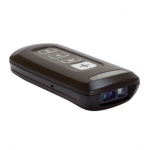
Zebra CS4070
MOBILE DEVICE COMPANION
The ideal companion for tablets and more, this affordable pocket-sized device offers our most advanced barcode scanning technology, able to capture virtually any barcode, in any condition, in the time it takes to press the trigger.
View ProductSATO TH2 | 2″ Mobile Thermal Printer
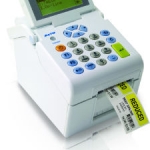
Portable, Handy, Smart. The TH2 direct thermal 2″ standalone printer is truly revolutionary.
View ProductSATO | NX Series
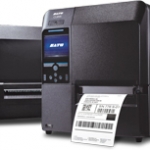
The NX Series is a game-changing innovation that is made easy. It is designed to be so easy to use and maintain that anyone can feel the difference from the day they start using it. The new NX Series comes loaded as standard with many different features to make operation and maintenance easy.
View ProductTrident
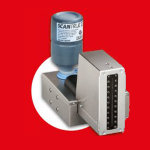
Trident is perfect for text, barcode and graphic marking on absorbent and smooth surfaces.It is easy to use, highly reliable and can reach printing speeds up to 60 meters per minute.
Click on the Direct Sales Button, and contact us today to order your Trident inkjet thermal inks.
View Product






