

Geset labelling machine – Geset 300
Geset 300 labelling machine for fast single side or all-round labelling
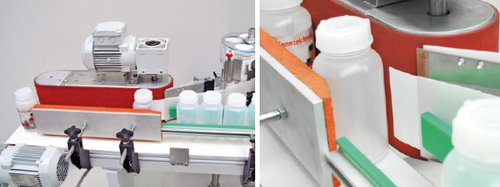

The basic concept of the Geset 300 labelling machine is based on two-sided labelling of moulded bottles without the use of run around text blocks. Adaptation to a specific product is done by simple adjustment of the machine components.
- Label dimensions: up to 250 mm high
- Clock frequency: up to 250 /min
The alignment and therefore highly accurate positioning of the labels is achieved through transport.
Adobe Reader is required to open and view PDF files. This can be downloaded free from adobe.com.
Available Documents
Zebra DS4800N Compact Laser Scanner
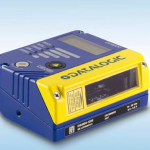
DS4800 is an industrial laser scanner combining flexibility and compactness thus satisfying all application needs of the production plant.
Through the smart focus adjustment DS4800 optimizes the performances based on the reading distance. This extends the reading area and
improves the overall read rate.
View Product
Legitronic® Labeling Software
Weber’s proprietary Legitronic Labelling Software provides the versatile label design, printing and RFID encoding features that are required to meet today’s labelling requirements. The software is easy to use yet robust enough for industrial applications that need to use large databases.
As the cornerstone of our complete labelling systems, it is fully compatible with our extensive line of labelling equipment as well as most Zebra, Datamax and SATO label printers and print engines. An FDA compliance version also is available.
View ProductH-Class Label Printer
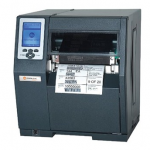
The H-Class is a rugged and versatile printer that offers one of the most feature rich solutions for dynamic enterprise applications and is twice as fast as other printers in its class. The H-Class is ideal for high-volume label printing in manufacturing, warehouse, transportation, and high resolution labeling.
View ProductZXP Series 7
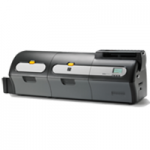
HIGH PERFORMANCE CARD PRINTERS
Using the latest in Zebra card-printing technology, the ZXP Series 7 provides high-quality card printing. The ZXP Series 7 printer has an innovative design. It automatically adjusts to the thickness of the card, and ribbon loading is easy.With color coded guides and a clear LCD control panel, it’s simple for anyone to use.
View Product






