

Geset 125 Horizontal Labelling System
The Geset 125 labelling system is used to label cylindrical products automatically. Depending on the type and dimension of the product, different label sizes are used. The products are fed manually or by a conveying system provided by the customer at an infeed passage of the labelling system. Care should be taken on accurate alignment of the products between the two freely mounted rollers of the roll conveyor. The side guide’s position the products flush with the outside edge of the roll conveyor.
The roll conveyor feeds the products to the labeller. There the label is applied with the part running forward onto the product and it is pushed by rotation and the back pressure of the wrapping unit onto the product. The back pressure of the wrapping unit (the speed of the wrapping unit is twice as fast as the speed of the base conveyor) enables the product in rotation. The roll conveyor forwards the finished labelled products to the outfeed. Here the products are removed manually or by the customer’s conveying system.
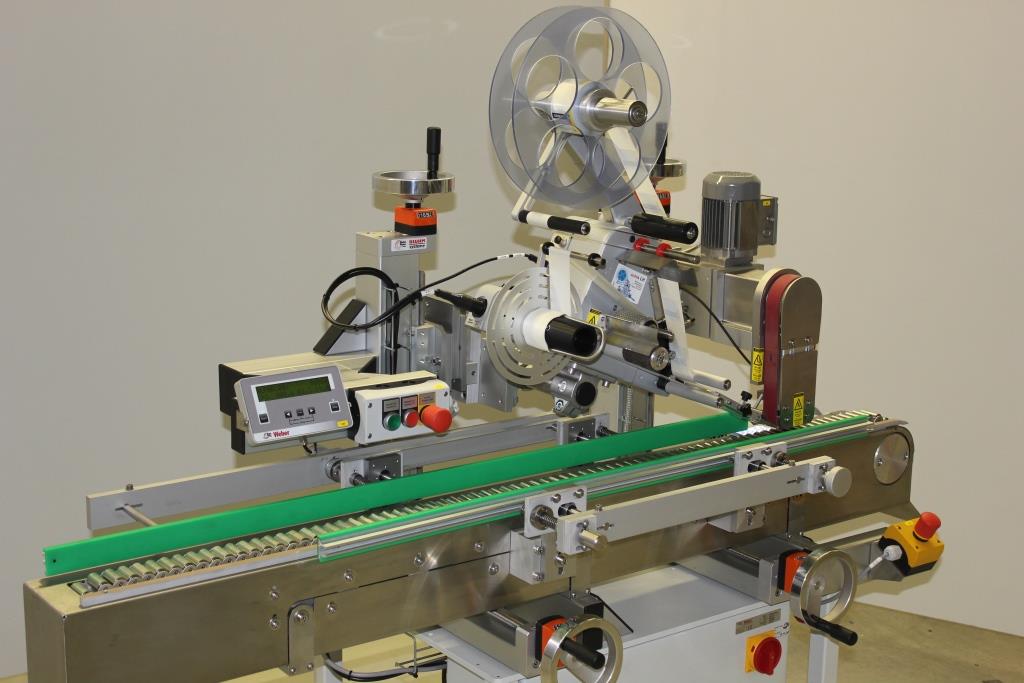
-
-
- Wrap-around labelling of unstable, horizontal, cylindrical products
-
- System is standing on rubber feet
-
- Robust steel base frame
-
- Simple, unmistakable operation by push buttons
-
- Speed of base- and wrapping conveyor adjustable by frequency converter
-
- Reliable applicator technique provided by Alpha Compact
-
- Performances of up to 50 products per minute are possible
-
Adobe Reader is required to open and view PDF files. This can be downloaded free from adobe.com.
Available Documents
Geset 125 Instruction ManualGeset 125 Technical Information
Geset 125 Computer Assisted Design
LABELS on the GO!
Summary
LABELS on the GO! provides you with the ability to print labels from a database of information, which resides on a Mobile Device, then prints to a Mobile Label Printer. Flexible configuration allows the user to design custom label formats that can include linear or two dimensional bar codes. Also defined by the user is a database of multiple data elements to drive label printing. Use LABELS on the GO! when labels are needed and you do not have access to your host system or when you need to print new labels that are not currently available from your application software.
View ProductNAUTIZ X5
PACKED WITH PERFORMANCE
The Nautiz X5® is a versatile PDA that delivers a category-leading combination of performance features in a small but rugged package. The Nautiz X5 is designed to provide everything you need for optimum in-the-field computing performance –a total package of unmatched capabilities in a rugged format.
View ProductDressings, Oils and Sauce Labels
When it comes to hot sauces, BBQ sauces, dressings and all types of cooking oils, you need to make your customer get hungry. And your label has to get your flavor message across to the customer. A good label design will entice them to try your brand. Bright, colorful labels can be used to create families of products, too. Check out some of the eye-catching labels below.
View ProductDS2400N Compact Laser Scanner
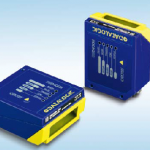
The New DS2400N laser reader takes advantage of Datalogic’s success in 1D bar code reading, satisfying the demanding application needs of the largest manufacturers worldwide. DS2400N provides greater profitability and productivity in the most common warehousing, shop floor and OEM applications.
View Product






