

EasyGo! PriceCheck
Summary
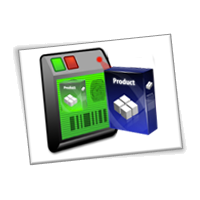
Let your customers check on the fly the price of products they are buying at your store. Improve customer satisfaction and customer experience with this self-service application. Designed for a wall-mounted device, your customers are able to check the price, get product information, and even get a picture of the product they are buying just by reading the product’s barcode. So, no matter where in the store your customers might be, help is never more than a few steps away with EasyGo!PriceCheck.
Description
EasyGo! PriceCheck allows your customers to check the products you offer them in your store. Any type of product may be checked with this application: books, grocery, gadgets… provided they are labeled with a barcode.
The application is designed with the consumer in mind. The user interface is simple and intuitive and aimed to attract your customers. Not only will it improve customer satisfaction, it also increases the store’s efficiency as it reduces the time spent for the assistance they would have given. This valuable time can now be dedicated in keeping your racks replenished all the time….avoiding loss of sales.
EasyGo! PriceCheck is made really easy to use for your customers:
- Read a barcode
- Review product info
- Go back to 1
The information showed in the screen related to the product is customizable(the price will always be showed).
Show product description.
Show EAN and Unit of Measure.
Show price per kg/l/unit.
Show product image.
The administration menu is password protected, so you can be sure that the integrity of the application will not be damaged accidentally by a customer.
In order to work, the application needs a product master file with all the product related information. Additionally, the application may be enriched with an EAN master file so your customers will be able to identify a product by reading any barcode associated to the products.
Languages
Dutch
English
Portuguese
Spanish


Adobe Reader is required to open and view PDF files. This can be downloaded free from adobe.com.
Available Documents
DNP M265 Wax/Resin Thermal Transfer Ribbon
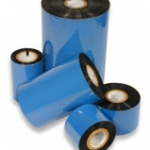
M265 offers unique combination of printability and resistance: it prints like wax/resin but provides resistance similar to resin performances. It is unbeatable for applications where high resistance is needed but resins are limited in terms of print sensitivity or high speed adaptability. M265 prints up to 12 IPS with standard anti-static and backcoat properties, and also prints on varnished or pre-printed labels.
View ProductRL4e
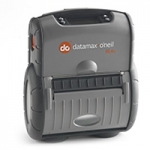
Datamax-O’Neil built its reputation on rugged and reliable portable receipt printers and has now used this expertise to design the industry’s most rugged portable label printer. The RL4e (4-inch/102mm) is a durable direct thermal printer with a rugged design and reliable performance that will continue to operate long after other printers have failed. We’re so confident in the quality and long-term reliability of this rugged printer that we include a 2-year warranty free of change.
Anybody who’s ever been in a warehouse knows that when shipments are processed more quickly and effectively, productivity is increased and errors are reduced. The RL4e improves efficiency and productivity by allowing workers to print and apply barcode labels directly at the point of application. Using an RL4e to print on-demand labels also eliminates the danger of mixing up batch-printed labels and saving thousands of dollars in potential shipping errors. The portable printer can even be mounted on fork trucks for added convenience and versatility.
We’ve made integration easy. Replace existing label printers using Datamax-O’Neil’s language emulations. The RL4e is compatible with most popular warehouse management software programs, independent label design programs and remote management packages.
View ProductHP (Hewlett-Packard)
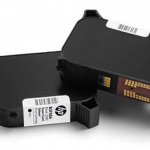
Hewlett Packard is a printhead suitable for marking almost any product at high resolution.
Click on the Direct Sales Button, and contact us today to order your HP inkjet thermal inks.
View ProductModel 4300e Pro-Apply All-Electric Label Printer-Applicator
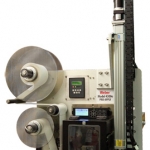
Weber’s economical Model 4300e Pro-Apply is an electrically-operated printer-applicator that features the functionality often limited to higher-duty pneumatic systems.
The result is a versatile in-line system that combines high-quality label printing and application that ensures fast, accurate pressure-sensitive labelling – and now it’s available without the need to use externally-supplied compressed air.
• Applies labels up to 6″ wide x 6″ long at up to 12 ips
• Prints text, bar codes and graphic images @ 203, 300 or 600 dpi
• Direct-tamp label application
• Accurate labeling to within ±0.03″







