

Custom Wine Labels
When you label a bottle of your wine, you are telling your story to the world. Since many wine shoppers make their decision about their purchase by the look of the label, you need to have a label that will get them excited about trying your vintage. Wine labels need to look unique, setting you apart from the crowd in the busy wine aisle. And the labels need to be durable, water-resistant and smudge-proof.
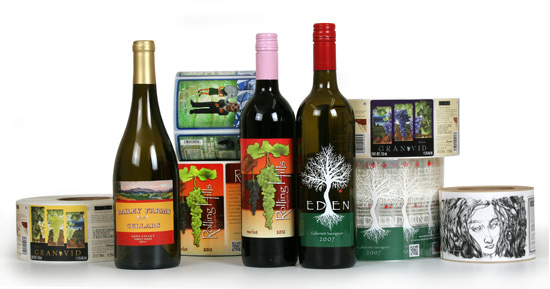
Showcase your wine bottle with a label that reflects your hard work.
Weber can print your wine labels on their digital presses so small label runs are economical. We can use a variety of label stocks for special effects and can add foil and embossing to really make your label come alive.
Labels can be printed as one wrap-around label or alternating front and back labels for easy application.
Weber can also help you apply your labels with a label applicator
-
Small bottling run applicators
-
Medium bottling run label applicators
-
Large bottling run labeling systems
| Eden Wine LabelThe stark white tree stands out against the dark bottle on this clear label. A simple yet appealing one-of-a-kind wine label design.Label Size: 4.0″ wide x 5.5″ highFacestock: Clear filmPrint method: Flexo for extra white bumpTop Coat: None | 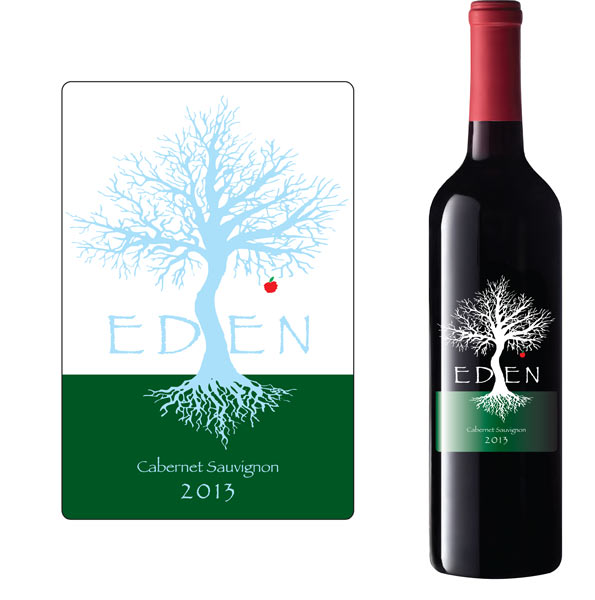 |
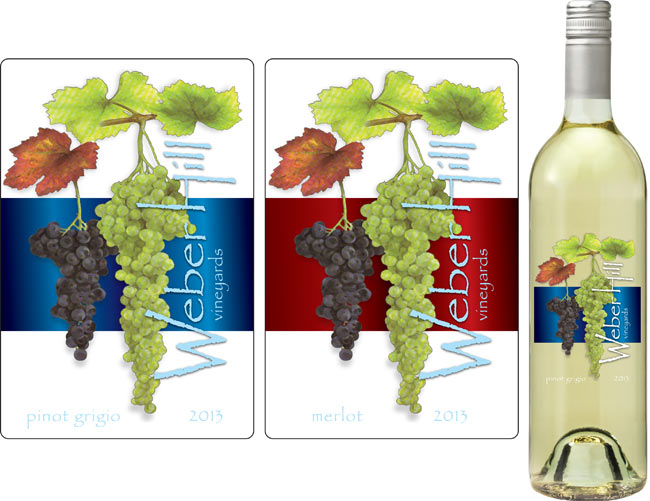
| Weber Hill Wine LabelsAnother clear wine label printed digitally with vibrant colors that create a dimensional effect on the bottle. The background colors are used for different types of wine within the brand.Label Size: 4.0″ wide x 5.5″ highFacestock: Clear filmPrint method: Digital
Top Coat: None |
 |
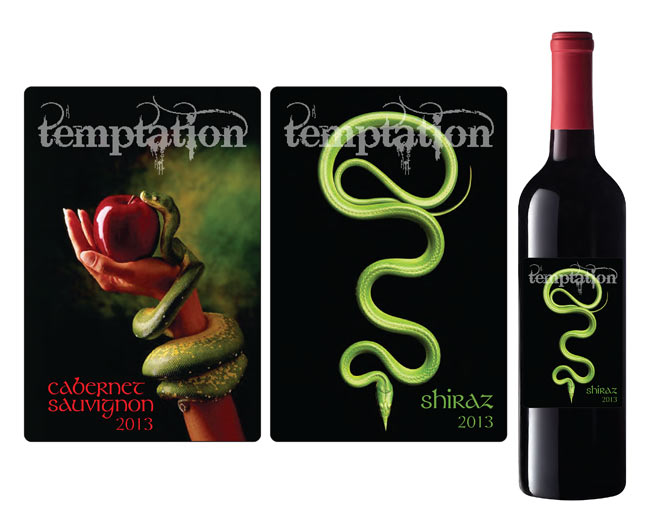
| Temptation Wine LabelsDark lucious colors with a well-designed theme tempt the customer to try this brand of wine. Best used on a dark bottle, these labels blend well with the product shape.Label Size: 4.0″ wide x 5.5″ highFacestock: White gloss stockPrint method: Digital
Top Coat: Laminated |
 |
Wine Bottle Label Tips
Materials:
- Many times wine is judged by the label so a well-thought-out custom design will attract more customers and identify your brand.
- Use clear label material to create dimensional effects with your label.
- Be sure to use label materials that will stand up to the environment if they are exposed to water or refrigerated conditions.
Artwork:
- Use a unique label material with a texture to add style and touch to your label.
- Keep your design simple but eye-catching so your brand becomes well known by sight.
- Customers love to learn about your winery and your product, so tell them about it on your label.
Adobe Reader is required to open and view PDF files. This can be downloaded free from adobe.com.
Available Documents
Axicon 7015 Barcode Verifier
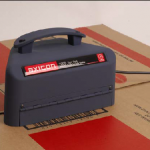
The Axicon 7015 combines CCD based hardware and state of the art application software, conforming to the latest ISO/ANSI print quality standards (ANSI x3.182 and ISO/IEC15416-1). Our equipment has been independently tested and conforms to ISO/IEC15426-1. The Axicon 7015 is designed for all barcodes where an 8, 10 or 20mil aperture is mandatory (such as GS1-128 and ITF-14), up to 195mm width including quiet zones. The simple to use design reduces user error and eliminates product damage whilst providing the highest level of accuracy achievable for verification.
View ProductFurniture Polish Labels
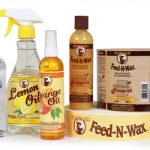
When creating a family of furniture care products such as conditioners and oils, be sure to let the customer see exactly what they will be putting on their expensive wooden treasures. By using clear labels and containers, the buyer can see the products inside, showing your quality ingredients. And since your customer will be concerned about the ingredients, your label needs to show caution information and detailed instructions.
View ProductIT1000 Universal Weighing Terminal
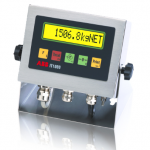
Suitable for difficult environmental conditions and locations with high hygienic standards, as in the food, pharmaceutical and chemical industry. With mounting brackets for desktop or wall-mount installation.Integrated power supply unit, sealed cable glands for all cable connections.
View ProductSpecial labels
Special labels by Weber Marking Systems meet the most diverse of requirements and have numerous specialized features, depending on their purpose.
View Product






