

Auto Parts Labels
Your automotive replacement parts packaging needs a colorful label to attract a buyers attention. Set your brand apart from the competition with unique, well-designed labels that showcase your products. You can use a wide range of materials to add value and style to your label and Weber can help you decide on the best fit of facestock and adhesive to guarantee that your label looks good and performs correctly.
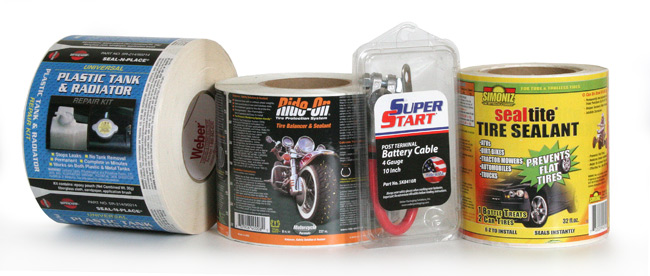
Great looking labels help sell your products.
As in many cases, products are judged and purchased on the strength of their label. And auto parts are no different.
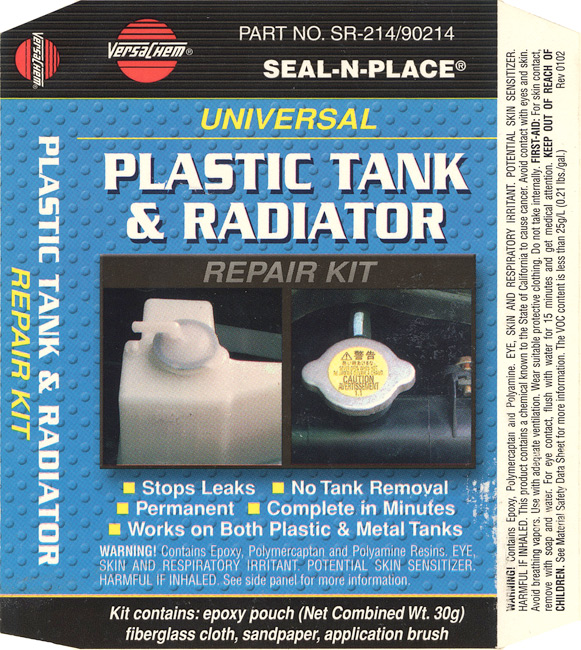
| Radiator Repair Kit LabelThis label goes on a small clamshell container that holds the part for this product. The right and left side of the label are beveled and, when folded down over the sides of the clamshell, act as a closure device. It also ensures the integrity of the package by acting as a tamper-evident seal.Label Size: 5.0″ wide x 5.75″ highFacestock: Gloss White
Print method: Flexo Top Coat: None |
 |
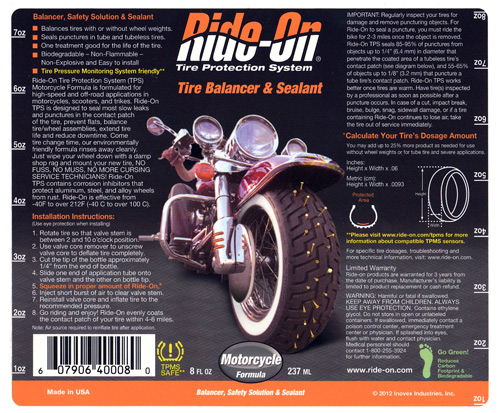
| Tire Balancer & Sealant LabelThe Ride-On Tire Balancer & Sealant label wraps around a round container and is laminated to protect the readability of the text instructions. The unique design features important tire information plus quick-reference measurement call-outs that read in either direction along the sides of the label. That’s handy!Label Size: 5.0″ wide x 6.0″ highFacestock: Gloss White
Print method: Digital Top Coat: Clear Lamination |
 |
POP Automotive Label Tips
Materials:
- Durable, UL-listed vinyl and polyester label facesheet and adhesive combinations make your label work for demanding, long-term applications.
- Overt security and authentication labels that used fracturable materials (destructible labels), messaging adhesives and holographic images keep your brand safe from counterfeiting.
- If your package contains petroleum distillate or other liquids, be sure to chose a printing process and lamination to prevent label damage.
- Flexible label materials are available in case your product comes in a squeezable or flexible container.
Artwork:
- Labels need to be eye-catching to compete on the shelf in automotive after-market stores.
- Clear clamshells are popular options and can be labeled easily.
- You can use your label as a closure device on a box or clamshell package.
Adobe Reader is required to open and view PDF files. This can be downloaded free from adobe.com.
Available Documents
Axicon 6025-S Barcode Verifier
The Axicon 6025 – S verifier is designed for all barcodes where a 4, 5, 6, 10 or 20 mil aperture is mandatory up to a maximum width of 68mm including quiet zones. The simple-to-use design reduces user error and eliminates product damage whilst providing the highest level of accuracy achievable for verification.
View ProductZebra DS4800 Series Scanner
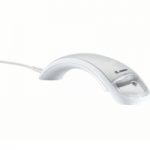
In today’s highly competitive retail market, improving your customers’ experience is a must. To differentiate yourself and keep shoppers
coming back, you not only need fast, smooth checkouts, you need an aesthetically pleasing store environment that reinforces your brand.
Yet, the POS, the most common point of interaction between customers and sales associates, is often overlooked. Current scanner technology does not enhance the checkout experience or integrate your brand into the process. But Zebra’s DS4800 Series changes that.
DS6300 High Performance Laser Scanner
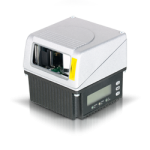
The DS6300 Datalogic scanner is designed to offer a complete and modular solution in terms of reading performance, connectivity, ease of use and maintenance. New HW and SW platforms and an innovative mechanical design have been developed to provide the scanner with extreme flexibility. The GENIUS™ SW configurator enables easy scanner set-up, utilizing a Wizard for obtaining the desired configuration in a simple step-by-step process.
View ProductX1Jet LX MK2
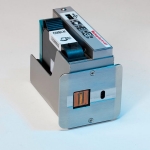
The Markoprint X1JET LX inkjet operates LX Class printing technology and is small, compact, and cost-effective system. It has a single housing unit constructed of robust milled and anodized aluminium that houses both the print head and the print controller. High-resolution prints are possible thanks to the printhead’s two nozzle row. The ink type is detected, and the level of ink filling is stored using its internal memory. The X1JET LX has an integrated picture sensor that automatically starts printing.
View Product






