

EasyGo! Meter Reading
Summary
Fully customizable tool to read your customers metering devices: gas, power, water… Any kind of metering device can be checked. Manage the meters of your company with just a few clicks. Optionally, use predefined routes to guide your operator (meter devices out of the route can be processed also). Finally, use the device camera to take a photo of the meter: a picture is worth a thousand words!
Description
EasyGo! Meter Reading allows you to check and read the meters of your enterprise, with or without barcode labels.
EasyGo! Meter Reading allows you to guide the operator by using predefined routes loaded from the host. Even when using predefined routes, if enabled in parameters, the operator will be able to read metering devices that he finds out of the route.
Using predefined routes is optional. If it isn’t necessary, just keep it simple and the let the operator read metering devices without guiding.
When reading a metering device, you can take a picture to have evidence of the information registered. Use of the camera is optional and only available on certain devices – check www.myappsource.com to find out the supported devices. Several configurations are available for camera usage. These include: picture is optional, picture is mandatory …
When the readings are completed, and the host is available, the meter readings and related pictures will be ready to be uploaded, via cradle or WiFi, to the host.
Languages
- English
- Spanish


Adobe Reader is required to open and view PDF files. This can be downloaded free from adobe.com.
Available Documents
ZEBRA ZT600 Series Industrial Printers
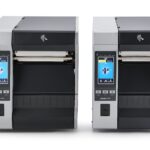
ZEBRA ZT600 SERIES – INDUSTRIAL BRAWN FOR EVERY CHALLENGE
Advancing the legacy of the industry-leading Xi Series, the Zebra ZT600 Series printers combine rugged durability and exceptional performance on a user-friendly, future-ready platform.
To keep your critical operations running smoothly, you need high-performance industrial printing systems that can stand the test of time, both physically and technologically. Zebra’s ZT610 and ZT620 advance the legacy of their industry leading Xi Series predecessors, offering next-generation operational visibility, control and adaptability to meet your evolving needs—all with the rugged durability and 24/7 reliability you expect from Zebra.
View ProductSATO CG Series
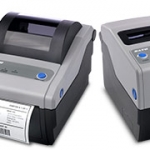
With superior performance and affordable price, these 2″ or 4″, 203 or 305 dpi, Direct Thermal/Thermal Transfer printers are best in their class. The SATO CG Series models are delivered stock out of the box with competitive emulations onboard and optimal interfaces (built in USB standard) for outstanding performance in clinical and processing environments. […]
View ProductMarkoprint NonStop Printing
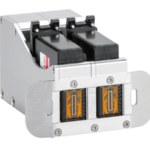
To enable continuous marking in ongoing production, our Markoprint NonStopPrinting printhead holds two alternately printing cartridges. Because the other ink cartridge is printing on the same position, each ink cartridge can be changed, cleaned, or serviced without pausing the machine.
An intelligent automatism prevents both cartridges from going empty at the same time. The first cartridge will always print two consecutive print jobs, taking turns with the second cartridge, which will only print one. This sophisticated automatism avoids both cartridges from running out at the same time. This will keep the ink from drying out in both cartridges. When the cartridge with the larger print volumes is empty, a warning will show, and the other cartridge will continue printing until it is replaced. The new cartridge will print the lower quantities to allow for you to replace the “older” cartridge. A sophisticated workflow that will boost your efficiency and productivity.
View ProductZebra 105SL Plus
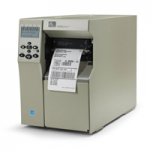
Economical, dependable, high-performance printing Zebra’s 105SLPlus printer provides economical, dependable, high- performance printing. This rugged printer is built for continuous operation, with exactly the features needed for fast, reliable and cost-effective printing in your manufacturing and warehousing environments. The 105SLPlus printer leverages Zebra’s proven electronics platform to offer increased speed for high-volume applications – and […]
View Product






