

EasyGo! BedSideOrder
Summary
From the patient’s hospital bedside straight to the kitchens with EasyGo! BedSideOrder! Use this quick and easy application to help your nursing staff take meal orders from the patient’s bedside and send them straight to the hospital’s kitchens in just a few simple clicks. Safeguards can be applied to help the nurses avoid meal options that could be harmful for the patient, and comments can be added to individual orders.
Description
EasyGo!BedSideOrder will assist the nurse in the process of creating the meal orders at the bedside in a hospital.
To start off, the nurse will enter the patient ID code, with or without barcode labels. The application will show on the screen the information related to the patient (name, age, gender…). Also, an observations field will be shown. It can be used to have extra information about the health or preferences of the patient.
Select the meal service to place the order and ask the patient about his preferences. Choose the dishes from the available menu to order them. Before the final confirmation, the nurse can add additional notes. These notes can be preferences or additional needs of the patient.
It is possible to associate incompatibility parameters (diabetes, celiac disease, hypertension…) to the patient ID. These incompatibility parameters can also be associated to meals, so they will not appear as an option when selecting the dishes for the menu.
It is necessary to load patient and meals information before starting to work. Once the operation is concluded, the nurse will be able to upload the data to the server.
Languages
English
Spanish


Adobe Reader is required to open and view PDF files. This can be downloaded free from adobe.com.
Available Documents
Blank Smart Cards
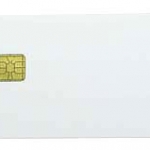
These types of cards can be used in a wide range of applications including public transport for fare payment, access control, cashless vending, parking, loyalty, electronic purse, gambling, road toll, student, employee IDs in government and corporate environments, e-passports and other secure travel documents, and cards for cashless payment.
View ProductDressings, Oils and Sauce Labels
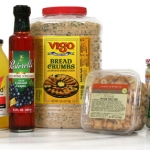
When it comes to hot sauces, BBQ sauces, dressings and all types of cooking oils, you need to make your customer get hungry. And your label has to get your flavor message across to the customer. A good label design will entice them to try your brand. Bright, colorful labels can be used to create families of products, too. Check out some of the eye-catching labels below.
View ProductFlex-Matic Label Applicator
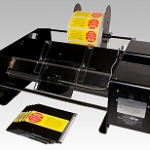
The Flex-Matic has been developed to accurately apply labels to a wide range of flat products including Bags, Envelopes, Pamphlets, PCB’s etc. up to a maximum thickness of 4mm. Constructed to the highest engineering standards and comes complete with a 2 year warranty against manufacturing defects and are fully compliant with all current safety standards.
View ProductPressure-Sensitive Automotive Parts Labels
Heavy-duty labels that look good. Labels used in the automotive parts industry have to be tough to stand up to the harsh environments where they are used. But that doesn’t mean they can’t look good, too. Bright, colorful consumer parts labels need to add life and value to your packaging while OEM parts need durable […]
View Product






