

Test Software
software 1
Adobe Reader is required to open and view PDF files. This can be downloaded free from adobe.com.
Available Documents
Legitronic® Labeling Software
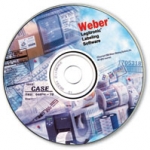
Weber’s proprietary Legitronic Labelling Software provides the versatile label design, printing and RFID encoding features that are required to meet today’s labelling requirements. The software is easy to use yet robust enough for industrial applications that need to use large databases.
As the cornerstone of our complete labelling systems, it is fully compatible with our extensive line of labelling equipment as well as most Zebra, Datamax and SATO label printers and print engines. An FDA compliance version also is available.
View ProductEasyGo! POD
Summary
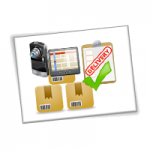
Manage your deliveries with a simple, customizable and powerful proof of delivery solution. EasyGo! POD has GPS, image capture (requires 2D Imager) and signature support offering true Proof on Delivery as location, product and customer details including the signature are captured. Adding additional comments at the point of activity ensures the highest customer satisfaction. In addition to the delivery registration EasyGo! POD also incorporates the registration process for collecting packages from the costumer site at the very same moment the operator delivers the packages.
View ProductRetail Software
Retail Mobile Solutions Whether you are looking for an online, fully integrated solution or a simple office solution, Weber makes moving to a modern mobile logistic and sales-assistant solution easy. The retail software solution gives your stores new and more efficient ways handle logistics and support your customers shopping. Retail Mobile Logistics Solutions Inventrory […]
View ProductEasyGo! PODLite
Summary
Manage your deliveries with a simple, customizable and powerful proof of delivery solution. EasyGo! PODLite allows for adding additional comments at the point of activity ensuring the highest customer satisfaction. In addition to the delivery registration EasyGo! PODLite also incorporates the registration process for collecting packages from the costumer site at the very same moment the operator delivers the packages.
View Product






