

ZD500 Thermal Transfer Desktop Printer
Offering high-resolution print quality and quadruple connectivity options, the ZD500 is compact and feature-packed for top performance.
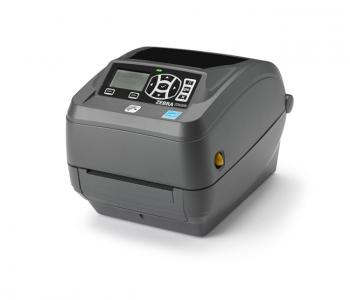
ZD500 Thermal Transfer Desktop Printer
A Link-OS-enabled printer, it is easy to integrate, manage and maintain from any location. Runs in direct thermal or thermal transfer mode.
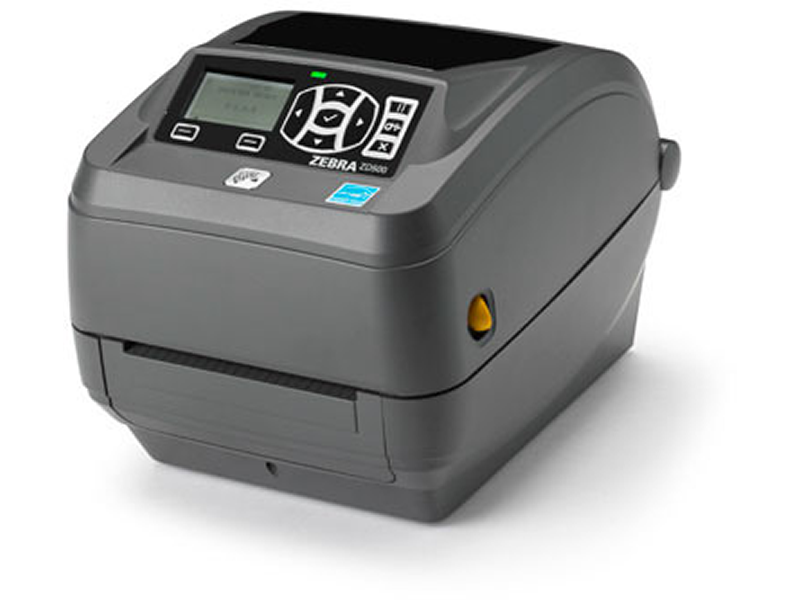
ZD500™ performance desktop printers pair the fastest print speeds with the most complete feature set of our desktop printer lineup. Innovative label, receipt and tag-handling capabilities enable the flexibility your customers need. Offering top print quality and a variety of connectivity options, the GX420™, GX430™ and ZD500 printers support the widest range of applications and can be integrated into almost any environment so that your customers can improve efficiency and profitability, save time and reduce operator training.
| Print Width 4.09″/104 mmPrint Resolution 203 dpi/8 dots per mm 300 dpi/12 dots per mm (optional)Maximum Speed 6″/152 mm per second (300 dpi) 4″/102 mm per second (203 dpi) |
Media Sensors Multi-position transmissive and full width reflective sensorCommunication Methods RS-232 auto-sensing Serial interface, DB-9 (standard) USB V2.0, bi-directional (standard) Centronics Parallel (standard), Ethernet – 10/100 internal (standard), Wireless – Dual radio 802.11a/b/g/n and Bluetooth 3.0 (optional) |
Adobe Reader is required to open and view PDF files. This can be downloaded free from adobe.com.
Available Documents
zq110- Fast Speed Printing
- Durabilit
- Enduring
- Anti-microbial Casing
- 2-Colour Printing
ZD420 Ribbon Cartridge Printer – Healthcare Model
Fast 4-inch thermal printers that are easy to use, easy to deploy and easy to manage, then choose the ZD420. Daily operation couldn’t be simpler, thanks to a new ribbon cartridge with more status icons
View ProductSato MB2i Printer
FEATURES
Markoprint X1JET HP HandHold
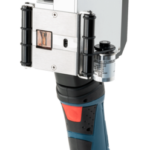
The Markoprint X1JET HP HandHold inkjet printer is a versatile, mobile, industrial, small character inkjet printer. The X1JET HP HandHold is battery operated and will print high resolution text and images without being fixed to a production line. The long-life battery allows you to print over an extended period of time. Configuring the device and uploading of print images is a simple task using a USB stick and the Markoprint iDesign software.
View Product
Axicon PV-1000 Portable Barcode Verification
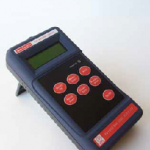
The PV-1000 Portable display and collection unit has been introduced in response to the requests of our customers, who appreciate the ease of use and high level of repeatable accuracy of the Axicon PC and Mac-based verifiers, but would like to add portability to their quality processes. For existing Axicon verifier customers who now
find that portability would be beneficial in their quality control there is no need to purchase a new verifier – just add a portable display and collection unit to work with the existing equipment – the Axicon PV-1000.







