

X1Jet MX
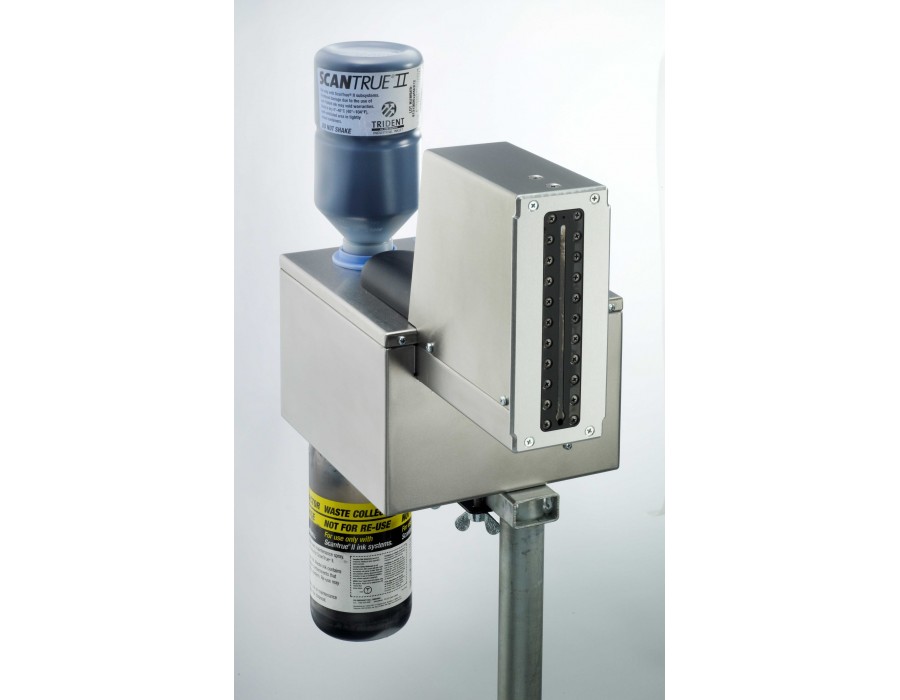
The Markoprint X1JET MX is an inkjet printer that runs independently. It’s ideal for coding large printing images directly on carton material in the food, beverage, chemical, and construction industries. On flat or absorbent surfaces, the MX Class piezo inkjet technology codes rapidly, correctly, and reliably.
The X1JET MX comes in three different styles: Compact, Vario, and Top. The print head on the Compact variant is fixed vertically. The Vario version’s print head may be rotated 90 degrees to the left for coding on ascending conveyor belts. The Top version codes to the packaging or product from above. True Type fonts are used to print text, logos, barcodes, and data matrix codes in the system.
The Markoprint X1JET MX makes printing simple with its 3-logic intuitive operation and LED status light. Data can be transferred via USB stick. It also has a maintenance station that includes a power supply.
-
Markoprint X1JET MX
Compact and well-prized piezo inkjet coder for large printing images
-
-
- Independent print system with Trident Piezo technology
-
-
-
- Cleaning station integrated with print system
-
-
-
- All-in-one – print head, ink system, cleaning station, control electronics and power supply
-
-
-
- Simple and intuitive 3-button operation with LED control lamps for user-friendly system controls
-
-
-
- Available as 50 or 100 mm print head
-
-
-
- As Compact, Top or Vario version
-
-
-
- With Scantrue ink
-
-
Adobe Reader is required to open and view PDF files. This can be downloaded free from adobe.com.
Available Documents
X1JET_MX_leafletInkGuide 2015
Label Coatings

Our special manufacturing capabilities and broad selection of matte and gloss varnish coatings and laminates help improve the appearance and long-lasting performance of your labels.
View Product
Blank labels
Purchasing Weber Self Adhesive Labels and Tags provides you with access to a large selection of quality, pre-tested, stock and custom supplies manufactured by a Global Industry Expert
View ProductMatrix 210 Datalogic 2D Reader
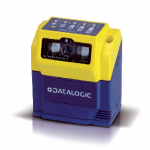
Matrix 210™ is the new Datalogic 2D reader offering extreme reading performance and integrated Ethernet in a ultra-compact housing.
Thanks to the WVGA image sensor, capturing up to 60 frames per second and to the powerful internal illuminator, Matrix 210™ offers extreme dynamic reading capability.
X4Jet Plus
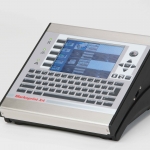
With the new high performance Markoprint X4JET print controller, different inkjet printing technologies can be controlled either simultaneously or alternately. The intuitive input unit of the new high performance Markoprint X4JET plus print controller is a boost to operator convenience. All system parameters can be entered easily and quickly, to be stored and called up later.
View Product






