

X1Jet LX MK2
The Markoprint X1JET LX inkjet operates LX Class printing technology and is small, compact, and cost-effective system. It has a single housing unit constructed of robust milled and anodized aluminium that houses both the print head and the print controller. High-resolution prints are possible thanks to the printhead’s two nozzle row. The ink type is detected, and the level of ink filling is stored using its internal memory. The X1JET LX has an integrated picture sensor that automatically starts printing.
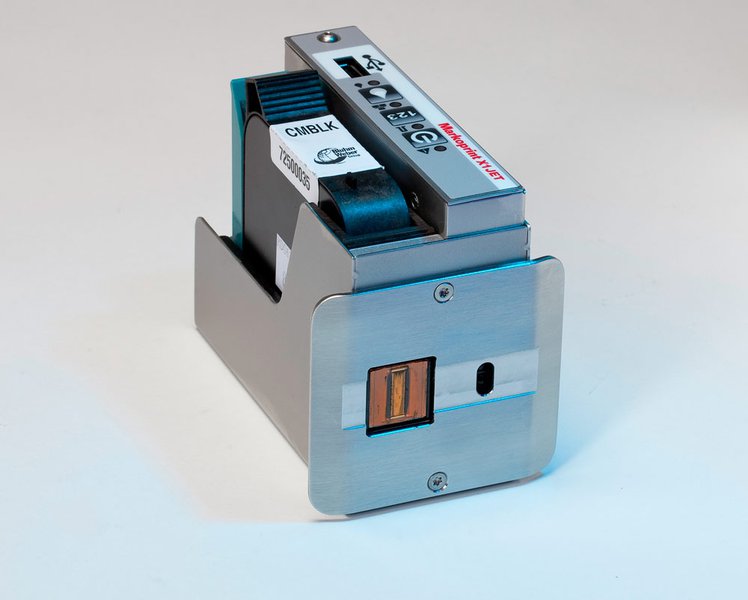
Markoprint X1JET LX
Independently operating inkjet system with LX Class printing technology
-
-
-
- Independent print system with LX technology
-
-
-
-
-
- Small and compact
-
-
-
-
-
- Control system and print head in one
-
-
-
-
-
- Simple and intuitive 3-button operation with LED control lamps for user-friendly system controls
-
-
-
-
-
- Integrated memory for automatic ink type recognition and storage of the ink level
-
-
-
-
-
- Automatic power adjustment for solvent-based ink LX NP1
-
-
-
-
-
- Cost-efficient introductory system
-
-
-
-
-
- Variable controls via interface
-
-
-
-
-
- Simple layout and parameter transfer using a USB stick
-
-
Adobe Reader is required to open and view PDF files. This can be downloaded free from adobe.com.
Available Documents
X1JET_LX_LeafletInkGuide_03_2015
- Choose from a wide range of 203, 300 and 600 dpi print engines
- Capable of handling print speeds up to 16 ips
- Numerous I/O’s ease interfacing with external devices
- Monitor operation via a web browser
- Available with RFID capability
Axicon PV-1072 Portable Barcode Verifier
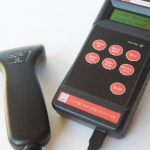
Once more Axicon has used its innovative skills and detailed knowledge of the barcode quality market to offer you the best in portable barcode verification. Introducing the Axicon PV-1072 – the ideal hand-held portable barcode verifier. Whether your priority is compliance, accuracy, reliability, ease of use, capability or cost this verifier ticks all of the boxes. Everything is geared to making the job easier – which means the job gets done quicker.
View ProductMC67 Mobile Computer
Give your field workforce customers the tools they to work faster and smarter than ever before with the MC67
What can your customers accomplish with the MC67? Everything they need to get the job done. Your customers can choose the operating system that best supports their mobility strategy — Windows® Embedded Handheld 6.5 or Android™ Jelly Bean (4.1) — to instantly access the wealth of information in their business systems to increase task efficiency and accuracy. This fully-featured powerhouse of a device lets workers access information in the backend system; scan practically any bar code in almost any condition; capture documents to simplify recordkeeping; take and send video and photos for real-time repair support; and call a customer with an arrival window — all at 4G HSPA+ speed.
View ProductSATO TG3 | Retail Tag & Label Printer

This series of retail SATO printers include a heavy duty print mechanism and cutter assembly which carries on the tradition of durability and performance of SATO solutions.
View ProductModel 5300 Series Swing-Tamp Label Printer-Applicator
This Weber exclusive provides high-resolution printing and high-speed operation combined with the swing-tamp method of label application that affixes labels to the leading or trailing side of a product.
View Product







