

X1Jet HP Premium MK2
The innovative Markoprint X1JET HP inkjet printer codes absorbent and semi-absorbent surfaces quickly, accurately and reliably. It is designed for a different range of applications in the food and beverage industry as well as the chemical and pharmaceutical industry. The controller and printer are combined in one single unit, making the system extremely compact.
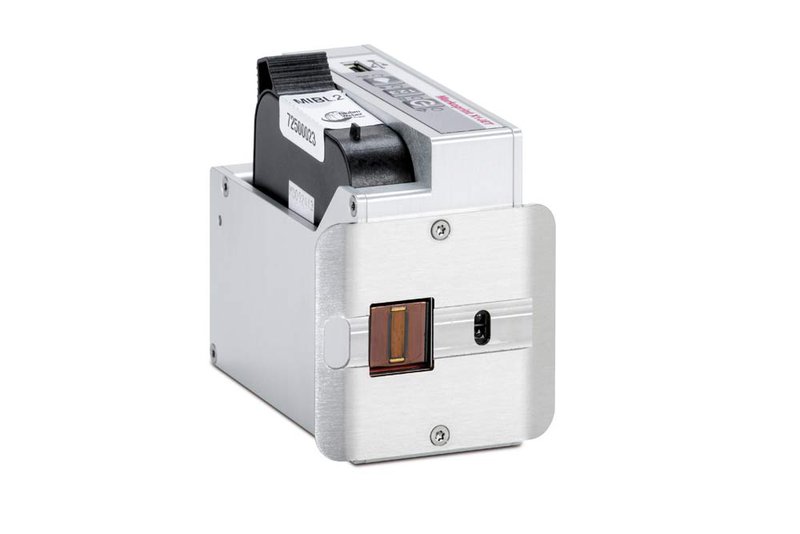
Independently Operating HP Technology Printing System
-
-
-
- Independently operating system with HP Class printing technology
-
-
-
-
-
- Small, compact and durable case made of milled and anodised aluminium
-
-
-
-
-
- Controller and printhead all-in-one
-
-
-
-
-
- Simple and intuitive 3-button operation with LED indicator lamps for user-friendly system control
-
-
-
-
-
- Variable control via interface
-
-
-
-
-
- Simple layout and parameter transfer by USB stick
-
-
-
-
-
- Patented Click‘n Print cartridge holder for quick and easy cartridge replacement
-
-
-
-
-
- Integrated photo sensor for automatic print trigger
-
-
-
-
-
- SmartCard function ink cartridge recognition and automatic parameter settings
-
-
Adobe Reader is required to open and view PDF files. This can be downloaded free from adobe.com.
Available Documents
X1JET HP LeafletInk Guide
Weber Legi-Air 4050E Generation 3 Print Apply System
The Weber Legi-Air 4050E Generation 3 is the latest offering by Weber Packaging Solutions of the 4050 Labelling Systems range. It has the reliability and modularity of its predecessor the LA4050E Version 2 but with on board Intelligence and an enhanced User Interface. In the design of this system Weber has focused on reliability, connectivity, efficiency, and versatility.
View ProductWeber AP182 Pallet Labelling System
The Weber AP182 is the latest offering by Weber Packaging Solutions of the Pallet Labelling Systems range. It has the reliability and modularity of its predecessor the AL180 but with on board Intelligence and an enhanced User Interface. In the design of this system Weber has focused on reliability, connectivity, efficiency, and versatility. The AP182 System is designed to Label up to three sides of a Pallet simultaneously for specialist pallet identification applications.
View Product
Epson ColourWorks™ GP-C831 Inkjet Colour Label Printer
Epson’s ColourWorks C831 breakthrough industrial-strength inkjet label printer is ideal for GHS large format drum and chemical labels. This wide-web printer uses pin-feed labels for extended accuracy.
View ProductMarkoprint IP-Jet
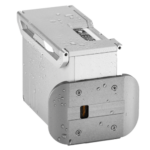
The thermal inkjet printer IP-JET HP MK3 has been specifically designed for usage in dusty or damp situations. It is especially ideal for the food sector, as well as the plastics, pharmaceutical, and chemical industries, due to its IP65 protection level.
The IP-JET HP is a small inkjet printer with a printhead and control unit housed in one unit. Water and dust are kept out of the cartridge by sealing it and pressurizing it. The power supply features a waterproof connector, and the external connections’ connectors are secured with an IP67 rating. The printhead does not need to be covered or removed for wet cleaning, unlike many other printers on the market.
View Product






