

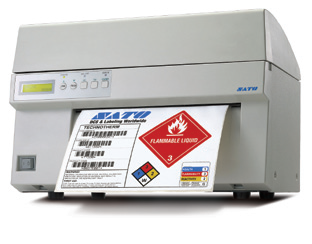
Sato M10e Label Printer
- FEATURES
- Chemical – Drum Labels
- Fast Print Speed of up to 125 mm/sec
- Automatic Label Loading via Label Edge Sensor
- High Quality Printing up to 305 dpi
- Extra-wide (267 mm)
- Printing Area for Giant Labels or Multiple Labels per page
APPLICATIONS
- Electronics
- Automotive
- Industrial
- Steel Mill
- Forestry
- Chemical
Adobe Reader is required to open and view PDF files. This can be downloaded free from adobe.com.
Available Documents
Data Sheet M10e printer 22102013LS3408-FZ Scanner

HIGH-PERFORMANCE SCANNER WITH FUZZY LOGIC
Premium scanning for all 1D codes including poorly printed, damaged or low contrast bar codes or fast and accurate reading of damaged, dirty and poorly printed barcodes typically found in industrial environments.
View ProductSato GL4e Printer
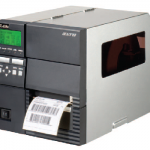
The GL4e Series is SATO’s most significant release of printing technology to date. Versatility and value are the cornerstones of the GL4e Series with features that surpass the competition. Only the GL4e Series offers a field-upgradeable UHF RFID option; an industry-leading printer management utility SATOnet CONNECT™; standard tri-port communication protocols, competitive emulations and much more.
View ProductThe WS2000 Wireless Switch
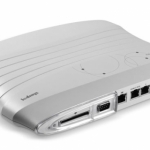
The WS2000 Wireless Switch is a powerful all-in-one solution that simplifies and helps reduce the costs of managing wired and wireless (802.11a/b/g) networks in enterprise branch offices. The integrated router, gateway, firewall, Power-over-Ethernet (PoE) and more eliminate the cost of purchasing and the complexity of managing multiple pieces of equipment. Support for Wi-Fi Multimedia extensions (WMM) and SIP Call Admission Control enables the WS2000 to provide peak performance for even the most demanding applications, including voice and video. The ability to easily and cost-effectively scale to meet growing needs, as well as upgrade to support new security, radio and other standards provides the assurance that the WS2000 will meet your needs today and tomorrow. The WS2000 — enterpriseclass networking functionality, priced for the small to medium-sized business or enterprise branch office.
View ProductFunai (Lexmark)
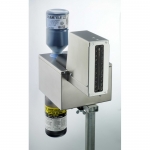
Funai (Lexmark) enables high resolution marking on any surface at very high speed.
Click on the Direct Sales Button, and contact us today to order your Funai (Lexmark) inkjet thermal inks.
View Product






