

Sato GZ4e Printer
Features
- High Speed Throughput 203 / 305 dpi
- Flexible Connectivity
- User friendly operation
- Low Cost of Ownership
- Unicode Support
- Built in Emulation Language
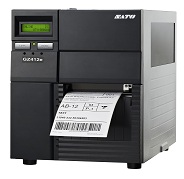
SPEED AND ENDURANCE FOR LOGISTICS AND MANUFACTURING
Applications
- Logistics
- Distribution Centre
- Warehouse
- Manufacturing
Adobe Reader is required to open and view PDF files. This can be downloaded free from adobe.com.
Available Documents
Data Sheet GZ4e printer 29012013- High Speed Throughput
- 203 / 305 dpi
- 4 and 6 inch Print Width
- Multilingual Display
- Flexible Connectivity
- Powerful Memory
- Windows® Compatible
- RFID Ready and Upgradeable
Sato CL4e / CL6e Printers
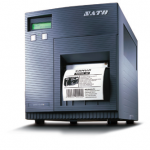
FEATURES
ZD500 Thermal Transfer Desktop Printer
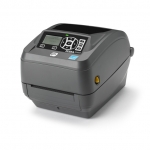
Offering high-resolution print quality and quadruple connectivity options, the ZD500 is compact and feature-packed for top performance.
View ProductZebra ZD410 HC
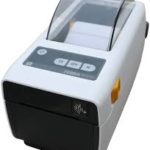
The ZD410 healthcare model offers all of the features of the standard model plus disinfectant ready plastics and an IEC 60601-1 compliant power supply. Designed for hospital, clinic, laboratory and pharmacy applications, the direct thermal ZD410 helps to protect privacy by leaving no record on a ribbon of what has been printed. The optional 300 dpi print resolution is ideal for printing small labels. The ZD410 healthcare model is currently available for purchase only in North America and the European Union countries. It will be launched in other countries throughout 2016.
View ProductI-Class Mark II
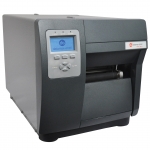
We made the best better.
Datamax-O’Neil’s I-Class revolutionized the barcode printer industry with its award winning modular design, field installable options and rugged reliability.
View Product






