

Markoprint Integra PP 108
The Markoprint Integra PP108 is the first inkjet printer with SEIKO printing technology and a circulating ink system. It features a POZIFLOW circulating ink system which prevents the accumulation of air in the nozzles and ensures a permanent, clean print image without missing print due to blocked nozzles. The system’s ink tank can be installed above, below, or at the same height as the print head without any problems. The new SEIKO printhead has a print height of 108 mm and achieves a remarkable speed of up to 150 meters per minute with a high resolution of 360 dpi.
Suited to Dual Colour Printing Applications such as Hazard Labelling, Dual Colour overprinting and Direct Printing Applications to corrugate, and web printing applications, the PP108 is the latest high end, economical Inkjet System using the latest Drop on Demand Printing Technology.
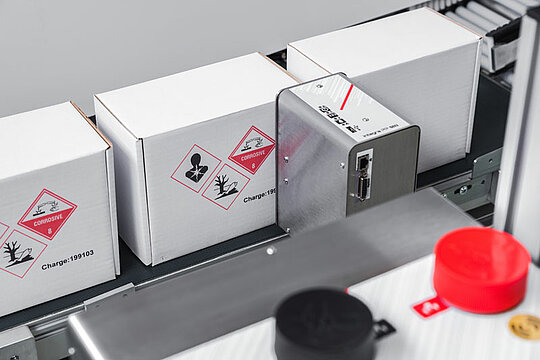
The Markoprint PP108 utilises state-of-the-art Seiko Printhead technology producing two colour printing up to 108mm high on porous substrates.
-
-
- High quality print up to 360 dpi
-
- High print speed of up to 150m/min (at 360 dpi)
-
- Maintenance Free Inkjet System (no servicing required)
-
- Up to 108mm print height without offset
-
- Prints grayscale or Dual Colour
-
- Easy start-up and airing of the ink system
-
- Two 700ml ink tanks for two colour printing over an extended time
-
- Ideal for Integration into an existing Packaging Machine or Web Printing Applications
-
- Pigmented MOF oil ink (mineral oil-free): ideal for printing on absorbent surfaces in the food industry
-
Adobe Reader is required to open and view PDF files. This can be downloaded free from adobe.com.
Available Documents
Inkjet Coding Systems BrochureWeber Label Printers and Dispensers
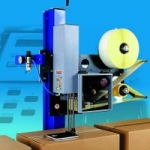
For manufacturers, wholesalers, retailers and offices, investing in high-quality and efficient label printers to have on the premises can bring significant long-term cost and time savings for your business. Up-to-date, accurate and fast labelling of products is essential in today’s production and business world. With such a depth of experience and broad expertise, Weber Packaging Solutions is your best choice for label printers and label applicators in the UK & Ireland.
View ProductZebra LI4278 Bar Code Scanner
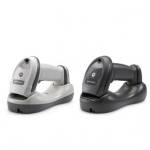
The LI4278 takes 1D bar code scanning to the next level, allowing workers to scan faster and farther. Workers can capture virtually any 1D bar code, including the typical bar codes that are printed on paper labels; electronic bar codes displayed on the screen of a mobile phone, tablet or computer that allows retailers to easily process loyalty cards, mobile coupons and more; and the high density (HD) bar codes commonly used in electronic component manufacturing. 100 percent UPC bar codes can be captured from near contact to over 30 in./76.2 cm away, while 200% UPC codes can be scanned at 55 in./139.7 cm away.
View ProductLegi-Air 4050 M Label printer and dispenser
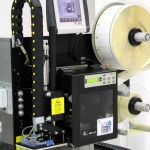
Weber Packaging Solutions presents the Legi-Air 4050 M – a printing dispenser with a novel control concept. The “M” correspondingly stands for master controller: “The central hub for data and process control”.
View ProductLegi-Air 4050 Pallet Label Applicator
The Legi-Air 4050P for continuous pallet labelling.
The system offers numerous advantages with respect to speed, reliability, scope of application, size and serviceability.
View Product






