

Geset labelling machine – Geset 700
Geset 700 – individual, customised labelling machine
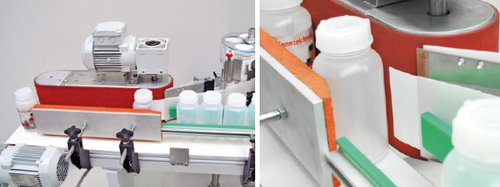

It is irrelevant in this respect whether a machine is to be designed and developed for thecosmetics industry, for pharmaceutical standard or special products or to meet existing guidelines. Plants are also developed for individual labelling in the foodstuffs industry.
Adobe Reader is required to open and view PDF files. This can be downloaded free from adobe.com.
Available Documents
EasyGo! BedSideOrder

Summary
From the patient’s hospital bedside straight to the kitchens with EasyGo! BedSideOrder! Use this quick and easy application to help your nursing staff take meal orders from the patient’s bedside and send them straight to the hospital’s kitchens in just a few simple clicks. Safeguards can be applied to help the nurses avoid meal options that could be harmful for the patient, and comments can be added to individual orders.
View ProductRF-Lite
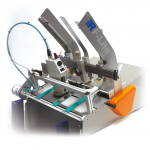
Low-cost offline coding system; ideal for companies looking to automate their date marking process for the first time.
View ProductMC3200 Mobile Computer
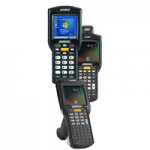
Redefine productivity and reliability with the MC3200 mobile computer, the next generation in the class-leading MC3000 Series, now with more options to meet your needs. Choose the right operating system for your business – Android Jelly Bean or Microsoft Embedded Compact 7. Your choice of our most advanced 1-D laser or 1-D/2-D imager scan engine allows your workers to easily capture barcodes in any condition.
View ProductZebra DS9208 Bar Code Scanner
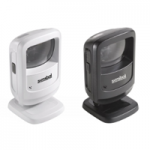
Whether you need to scan printed bar codes on paper labels or mobile bar codes on the screen of a mobile phone, with the Zebra DS9208, you’ll be ready. You get the versatility to scan any 1D or 2D bar code — from the printed labels in retail that identify product and pricing at the register to mobile coupons, mobile gift and loyalty cards, boarding passes and even theater tickets. And the DS9208 provides all the features you need to keep your workers productive: industry-leading scanning speed; true point-and-shoot scanning simplicity — no need to align bar code and scanner; and hands-free and handheld flexibility.
View Product






