

EasyGo! InventoryHealthCare
Summary
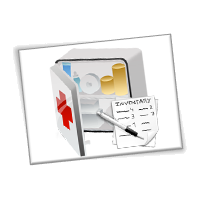
EasyGo! InventoryHealthCare transforms your handheld into a stocktaking device for inventory management at your hospital or pharmacy. Especially designed for healthcare environments, use this application at your Hospital or Health Care centres to easily control your stock, such as medicines, equipment or other inventory. Next to the possibility to capture a zone, the location, and a quantity this applications allows as well for adding to each stock item healthcare specific data-fields such as batch and expiry dates. When stocktaking is complete, the data is uploaded to your host system for management reports and further processing.
Description
EasyGo! InventoryHealthCare application allows inventory management of any type of stock, with or without barcodes labels in your Healthcare environment. Capture the barcode of each the stock item, or in case there is no barcode available simply key in the product id. Add the quantity to each item and most importantly register the batch and/or lot numbers including the expiration dates.
Optionally you can ask the operator to identify the zone and location for easy product location tracking. It’s that easy!
EasyGo! InventoryHealthCare also allows the operator to check and edit previous inputs or to amend an error. When the inventory is done, the data is ready to be uploaded, via cradle or WiFi, to the host.
EasyGo! InventoryHealthCare workflow is fully customisable. The operator is prompted to provide zone, location, item, quantity, batch, expiry date, as necessary, all set according to the end-user’s inventory requirements. The workflow can be set up to loop on item and quantity until the inventory in that location is completed, or the operator can be required to re-enter the location for each item.
There is almost always a fit to each way of conducting inventories.
Languages
English
Spanish


Adobe Reader is required to open and view PDF files. This can be downloaded free from adobe.com.
Available Documents
SATO TH2 | 2″ Mobile Thermal Printer
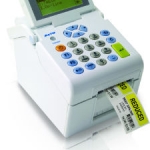
Portable, Handy, Smart. The TH2 direct thermal 2″ standalone printer is truly revolutionary.
View ProductZebra GK420 TT/DT 203dpi Printer
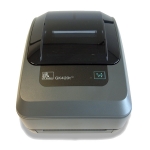
Zebra GK420 Thermal Transfer Desktop Printer
The Zebra enhanced GK420t thermal transfer printer offers the best value in a basic desktop printer, featuring a fast 5 inches per second print speed to meet your low- to medium-volume printing requirements.
View ProductEpson ColourWorks™ GP-C831 Inkjet Colour Label Printer
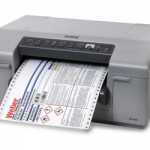
Epson’s ColourWorks C831 breakthrough industrial-strength inkjet label printer is ideal for GHS large format drum and chemical labels. This wide-web printer uses pin-feed labels for extended accuracy.
View ProductDeli Labels
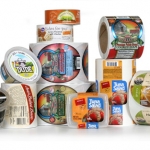
We can work with you to create amazing looking labels that will work with your container and handle the environmental conditions that it will be stored in like refrigeration or moisture. Your label has to not only keep your product safe but also needs to entice the customer into buying your product. Bright colors, metallic foils, clear films and more are just some of the design options that will set you apart from the crowd.
View Product






