

Detergent Labels
When choosing the right label for your detergent or liquid soap product, it’s important to get a label material that will stand up to exposure to the product. The label is going to get wet and abused. Weber can help you decide on the right materials that will look great and yet be durable enough to take harsh treatment of repeated soakings and squeezing.
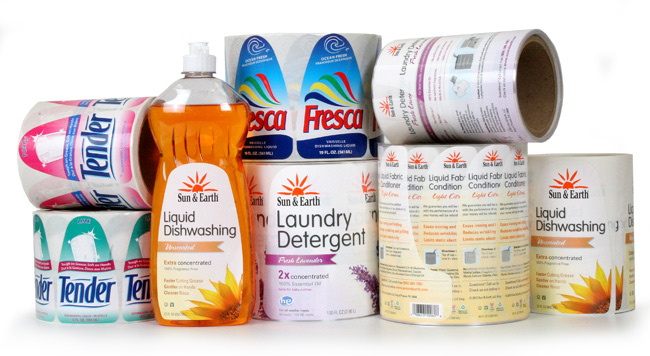
Enhance your brand with durable yet attractive custom labels.
Your labels can be die cut to follow the shape of your container. And you can use clear film to create a no-label look.
Detergent Label Tips/strong>
Materials:
- By using a clear label material or metallic foil, you add value to your product with an enhanced look.
- Be sure to use label materials that will stand up to damp and abusive conditions as well as frequent handling with product contents contacting the label.
- Always test your label adhesives to make sure they will stick securely to your containers, especially plastic bottles and curved shapes.
Artwork:
- Use unique designs and bold logos for your brand to create a family of products. This makes it easier for consumer to return to your product by sight.
- Organics and environmentally friendly soaps are gaining in popularity. Ask about using green label materials.
- Keep your design simple but eye-catching. Create patterns on your label or subtle designs using dull or gloss varnishes.
- Custom die shapes allow you to use interesting shapes for your label.
- Add a QR code so your customers can interact with your company, get coupons, and more.
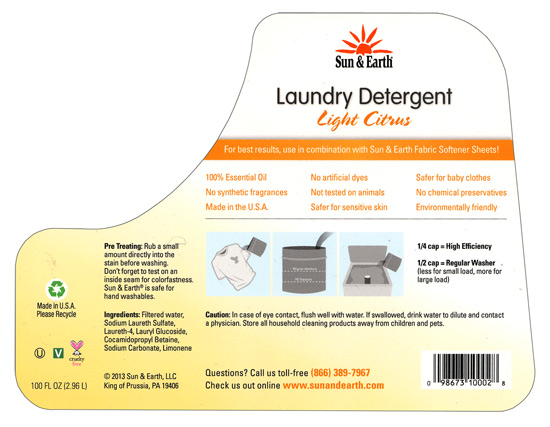
| Laundry Detergent LabelsThis laundry detergent label is a custom die shape that follows the product package contours and, as the back label, contains instructions and important information for the consumer.
The glossy white film material keeps these labels from deteriorating due to moisture, sand or spilled product. These labels were printed on our high-resolution HP digital presses. Label Size: 7.0″ wide x 5.0″ high Facestock: Glossy white film Print method: Digital Top Coat: Clear lamination |
 |
|
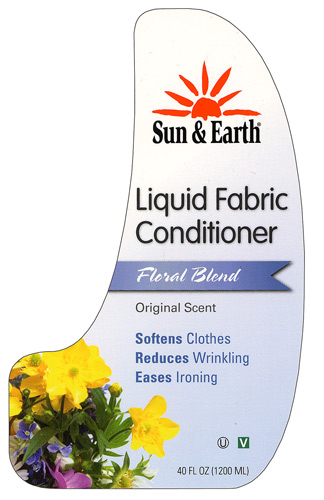
Fabric Conditioner Labels Another label that features an intricate die shape to follow the container form, this label also features hi-res color images that help bring out the feeling of freshness associated with the product. The white film material moves with the flexing of the container and is laminated to preserve the label in harsh, abusive conditions. These labels were printed on our high-resolution HP digital presses. Label Size: 4.0″ wide x 7.0″ high Facestock: Glossy white film Print method: Digital Top Coat: Clear lamination |
 |
Adobe Reader is required to open and view PDF files. This can be downloaded free from adobe.com.
Available Documents
- Small Footprint
- Lightweight
- Compatible with PDA
- 2-Colour Printing
- Wireless Connectivity
Zebra CS4070
Zebra CS4070
MOBILE DEVICE COMPANION
The ideal companion for tablets and more, this affordable pocket-sized device offers our most advanced barcode scanning technology, able to capture virtually any barcode, in any condition, in the time it takes to press the trigger.
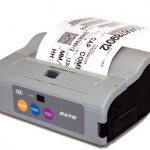
View ProductSato MB4i Printer
FEATURES
Pressure-Sensitive Bakery Labels
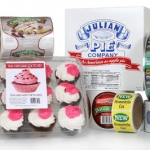
Great bakery labels need to visually enhance the product that they decorate as well as communicate required information like nutrition facts, ingredients and expiration dates. A good label design will include colorful images and use materials like clear film or metallic foils to showcase the product and draw customers near.
View ProductWater Bottle Labels
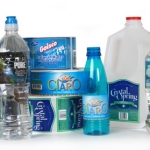
Make sure that you get the right label for your bottled water products. Water-proof film labels work best or, if recycling is important, you can go with a label material that is bio-degradable or easily removable for recycling.
View Product






