
BCP Apps – Mobile Order Book
Summary
BCP Apps – Mobile Order Book isn’t just an ordinary mobile sales tool, it’s much more… At the customers site you can either scan the product the customer wants to order, or using the search tool find the product just by typing in a few letters. You can even pull back an old previous order to edit, and the Mobile Order Book will automatically check for the latest prices and whether that product is still stocked or not. You can even add a new customer and take their order when you’re out and about if you wish… All this and send the order to be picked via GPRS before you even leave the customers side… or if you wish send it via WiFi or just insert the device into a cradle when you get back.

Description
BCP Apps – Mobile Order Book is the complete solution for sales ordering. Each device is preloaded with your customer base, stock selection and user file. All 3 files can either be manually uploaded when selected on the device or, if left in its cradle overnight the Mobile Order Book will automatically update all 3 files.
As well as scanning products to add to the order you can choose quickly from the user friendly screens to arrive at your selection. All products are automatically sorted into product groups to ease the selection process along with an easy to use on-screen search tool. After the order is completed you will have the choice of whether or not to add specific delivery instruction. A useful point to remember is at any stage the order can be edited if the customer changes his/he mind on any product.
Previous orders for each customer are stored on the device and can be selected and edited if required. When selected all prices will be updated for each product and checked to see if still stocked.
The uploaded customer file will contain a column indicating what discount on the selling price, if any, a particular customer has. There is also a column which allows head office to place a particular customer “On Hold” until a payment is received, if required. The details of any payments you receive while at the customer’s site will be downloaded to the host. If customers are allocated to specific personnel, holiday cover can be easily arranged from the main menu.
The orders downloaded to the host can either remain as individual orders or if required appended to one master Order file. If selected the Signature file in bmp format can be downloaded. Also if selected a Pick List text file of each order can also be downloaded. If a new customers details are entered on the device or if an existing customer’s details are amended these will also be downloaded to the host.
Languages
- English
- Portuguese
- Dutch


Adobe Reader is required to open and view PDF files. This can be downloaded free from adobe.com.
Available Documents
- Choose from a wide range of 203, 300 and 600 dpi print engines
- Capable of handling print speeds up to 16 ips
- Numerous I/O’s ease interfacing with external devices
- Monitor the labeller’s operation via a web browser
- Available with optional RFID capability
- An easy way to add a two-sided labeller after your palletiser system
- Off-line rewinding
- Counts both gap and reflective labels
- Variable Speed Control
- Tension Control
- Great for dispensers and hand held applicators.
- Excellent in visual inspection
- Easy to operate
- Rewind up to 61.5cm/sec.
Model 5300 Series Dual-Label Pallet Label Printer-Applicator
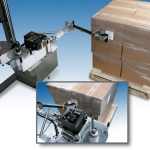
Weber’s Model 5300 Dual-Label pallet labelling system combines a high-performance thermal/thermal-transfer label printer with a specially-engineered articulating swing-tamp applicator to perform the printing and two-label, adjacent-side labelling of pallets in-line.
View Product
Checker 4G Series
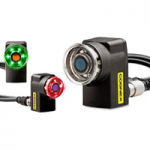
Checker Vision Sensor Features
The Checker® vision sensor is an award winning all-in-one industrial sensor with built-in camera, processor, lighting, optics, and I/O capable of detecting and inspecting up to 6,000 parts per minute–all in an industrial IP67 enclosure small enough to fit into the tightest of spaces.
View ProductDRS – 2000 Desktop Rewind Station
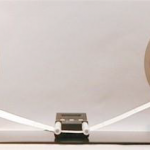
IDEAL FOR PRODUCTION PREPARATION THE DRS-2000 DESKTOP REWIND STATION OFFERS:
Zebra ZD410 HC
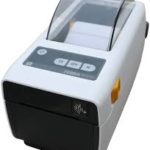
The ZD410 healthcare model offers all of the features of the standard model plus disinfectant ready plastics and an IEC 60601-1 compliant power supply. Designed for hospital, clinic, laboratory and pharmacy applications, the direct thermal ZD410 helps to protect privacy by leaving no record on a ribbon of what has been printed. The optional 300 dpi print resolution is ideal for printing small labels. The ZD410 healthcare model is currently available for purchase only in North America and the European Union countries. It will be launched in other countries throughout 2016.
View Product